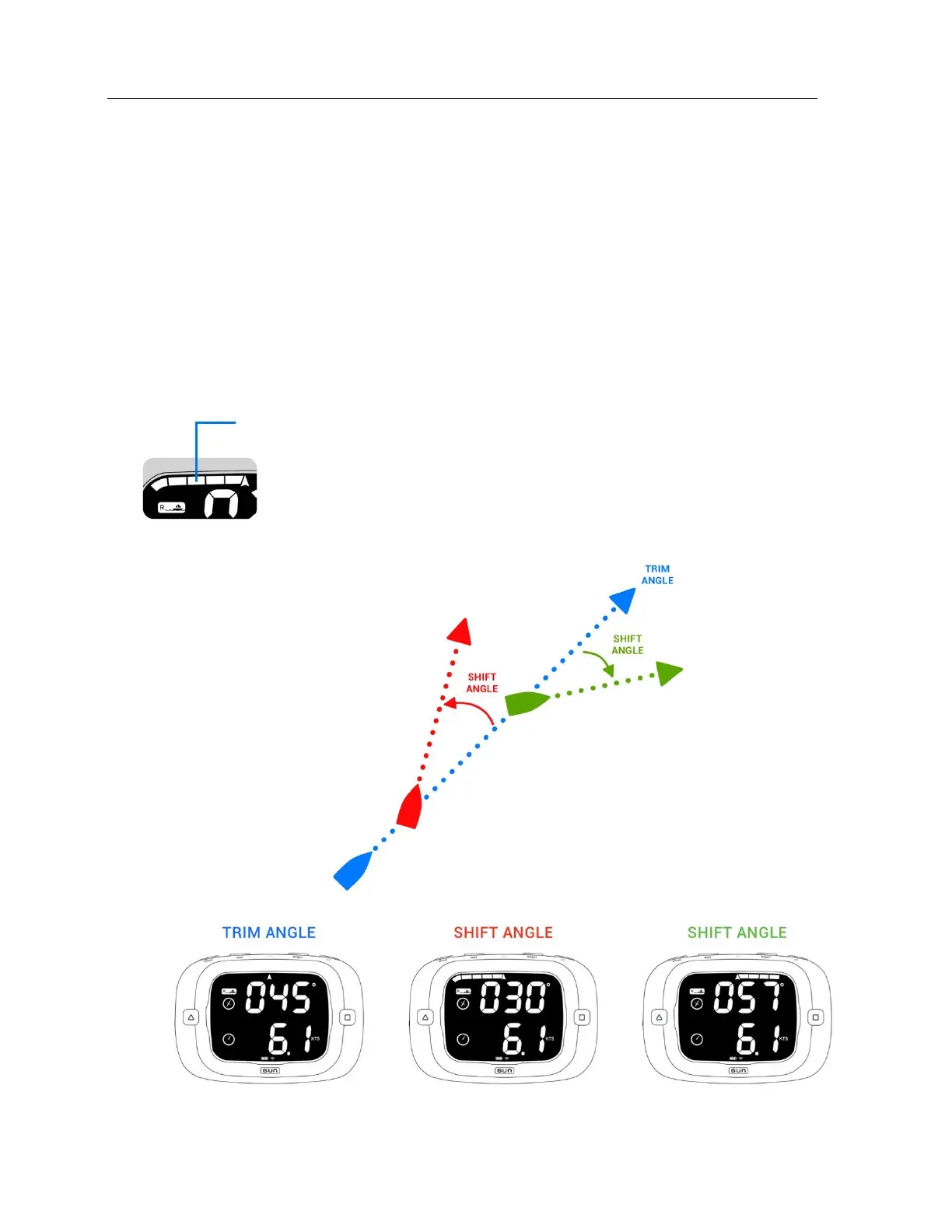
When the race bar graph is configured to show shift angle each bar graph segment will represent 3°
degrees of heading deviation from a device determined ‘trim angle’. The trim angle is set automatically
by the device once the boat is detected to be steering a relatively stable course for a specified length of
time. The trim angle is automatically reset anytime the current heading deviates from the trim angle by
more than 45°.
The trim angle can be manually reset by pressing the RESET button while in Race Mode with shift
tracking activated (see ‘Setting Race Bar Graph’ in Configuration section). This will clear the previously
used trim angle and start a fresh measurement cycle for the ProStart to find the new trim angle.
See the ‘Understanding Shift Tracking’ section on page 34 for more detail on how the shift tracking
algorithm works.


 To Next Page