Understanding ‘Line Square To’
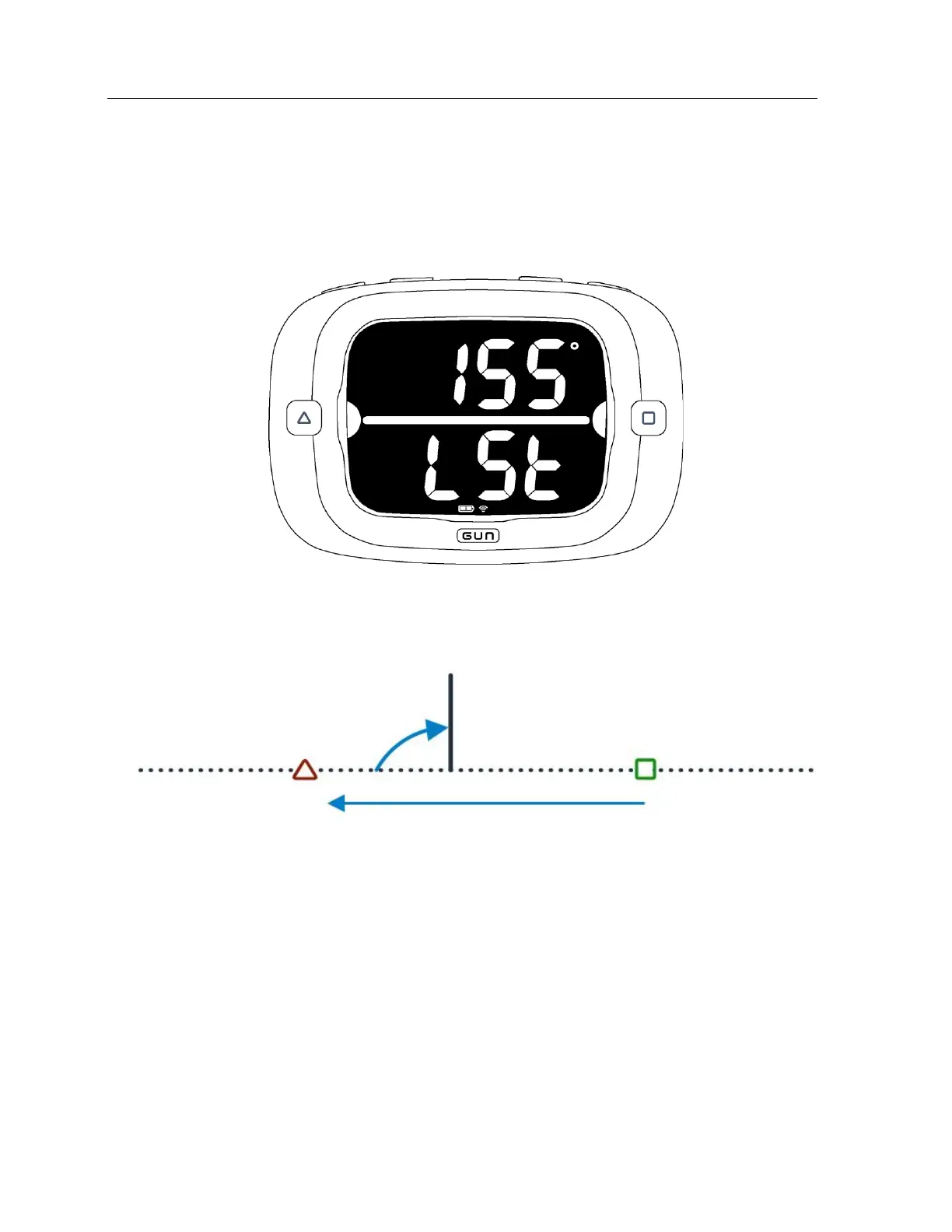
To display ‘Line Square To’ bearing, press the MODE and MAX buttons at the same time. ‘Line Square To’
will appear on screen for 5 seconds. You can exit ‘Line Square To’ before the 5 seconds is up by pressing
the RESET button.
‘Line Square To’ is calculated as the magnetic bearing from the right end of the line to the left end of the
line plus 90°. See image below for an illustration of how this figure is calculated:
IMPORTANT - In order for the ‘Line Square To’ output to work with your magnetic compass, you need to
ensure your magnetic declination is set to automatic (default), or the accurate magnetic declination for
your sailing venue. See the Configuration section on page 27 for instructions on setting magnetic
declination for the ProStart.
How to use ‘Line Square To’
For a standard upwind start where the line is set perpendicular to the wind direction ‘Line Square To’ is a
tactical aid which gives you information about which end of the line is favored. If the start line is set
perfectly the ‘Line Square To’ angle should match the wind direction. Inevitably, this is not the case so
shoot head to wind, check the bearing on a magnetic compass and compare this measurement with ‘Line
Square To.’


 To Next Page