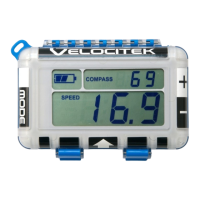
Disabling Distance to Line
Options: [ On| Off ] Default: On
The eighth config menu allows you to turn on or off the distance to line feature. The default is On.
You will see ‘diStAncE to LinE’ scrolling across the top display and either ‘On’ (default), or ‘OFF’ on the
bottom display. Pressing the RC or PIN button will toggle between on and off.
When ‘OFF’ is selected, Speed Over Ground (SOG) will be displayed on the bottom display instead of the
distance to line. Alternatively, when ‘On’ is selected the distance to the line will display if the start line
has been set.
Press GUN button to save your selection and progress to the next menu, or press RESET to exit config
without saving the current menu (all previous menus will still have been saved).
Enabling Bonus Screen ( On or Off)
Options: [ On| Off ] Default: Off
The ninth config menu allows you to turn on or off the bonus screen feature. The default is Off.
You will see ‘bonuS ScrEEn’ scrolling across the top display and either ‘OFF’ (default), or ‘On’ on the
bottom display. Pressing the RC or PIN button will toggle between on and off.
When enabled bonus screen allows you to display any two metrics on the top and bottom displays as
well as choose any metric to display on the bar graph.
When enabled, you can access the Bonus Screen at any time in either Race or Start Mode by pressing
both the MODE and ‘+1’ buttons at the same time (in either order). You can exit bonus screen by
pressing any button.
To configure which metrics display on the bonus screen press GUN button while ‘On’ is displayed. This
will take you to the screen to ‘Selecting Bonus Screen Top and Bottom Metrics.’
If you press GUN button while ‘OFF’ is displayed it will skip over the config menus to select the metrics
for bonus screen and exit the config menu.
Press GUN button to save your selection and progress to the next menu or exit, or press RESET to exit
config without saving the current menu (all previous menus will still have been saved).


 To Next Page