Setting Magnetic Declination
Options: [ Automatic | -45° to +45° ] Default: Automatic
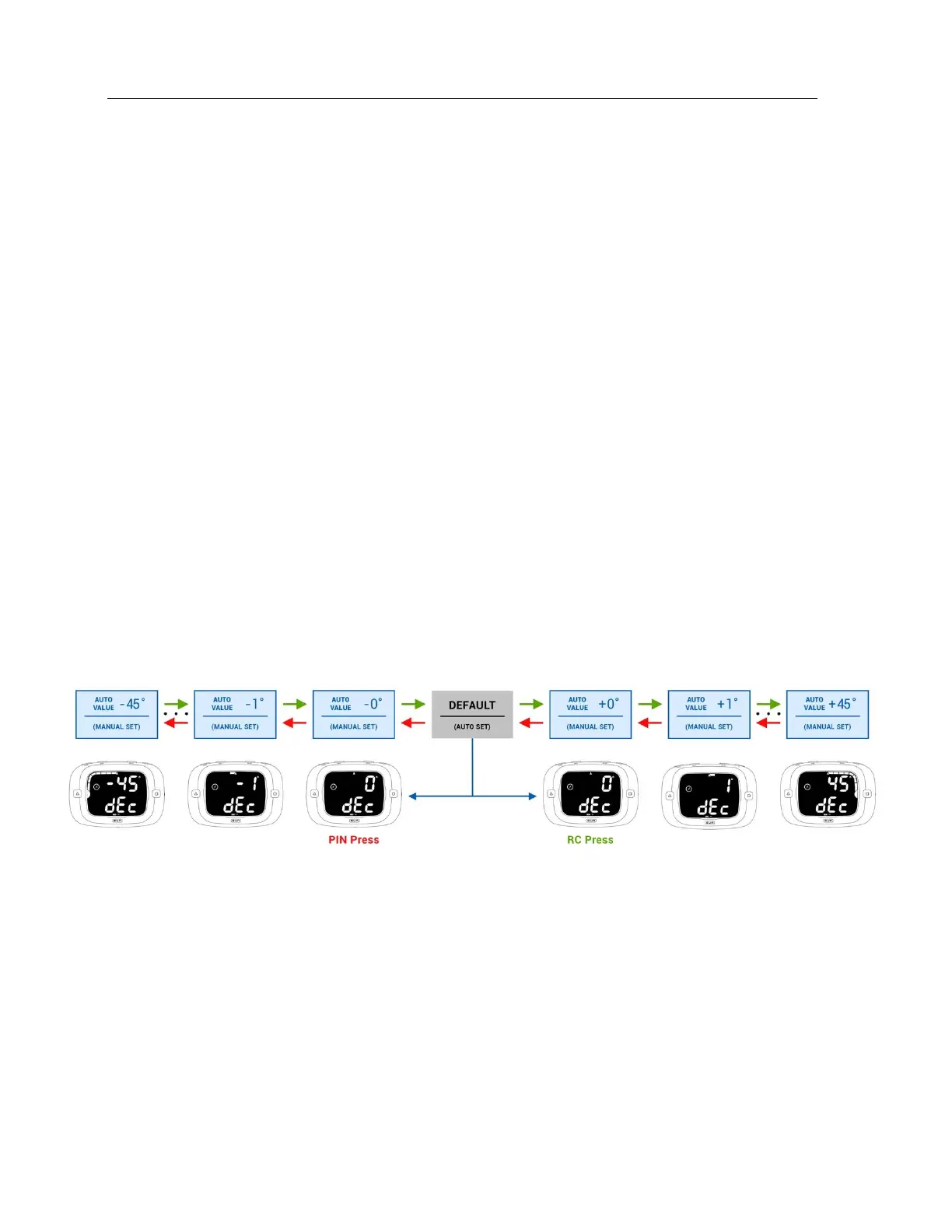
The fifth config menu allows you to select between automatic (default) or a fixed magnetic declination.
You will see ‘dEcLinAtion’ scrolling across the bottom display and either ‘dEF’ (default), or some angle
between -45° and +45° on the top display. Pressing the RC button will increase the declination by 1° and
PIN button will decrease it by 1°. Positive declination represents east and negative declination represents
west.
Declination is used to display COG and ‘Line Square To,’ in degrees magnetic (vs degrees true). This is
beneficial when using a magnetic compass in conjunction with the ProStart since both instruments will
be referenced to magnetic north.
By default, the ProStart will use the current GPS location to calculate the local declination. This means
that unless you manually set the declination to some angle other than “dEF” the compass output will
display in degrees true.
You can find out what the automatic value is set to simply by pressing the either the PIN or RC button
while ‘dEF’ is displayed. In either case the first declination angle displayed will be the value that the
default is set to. If you save (by pressing GUN button), while the display is showing any other value other
than ‘dEF’ your ProStart will no longer automatically determine and use the local declination on power
up. To ensure automatic declination is enabled you must press GUN button while ‘dEF’ is displayed.
In the case where the ProStart is powered on where there is no GPS signal the automatic declination
value will be 0. However, as soon as a GPS signal is acquired the ProStart will automatically update it to
the determined local declination.


 To Next Page