EN
8
2. Unbox & Assembly
2.03 Handlebar
2.04 Front Fender
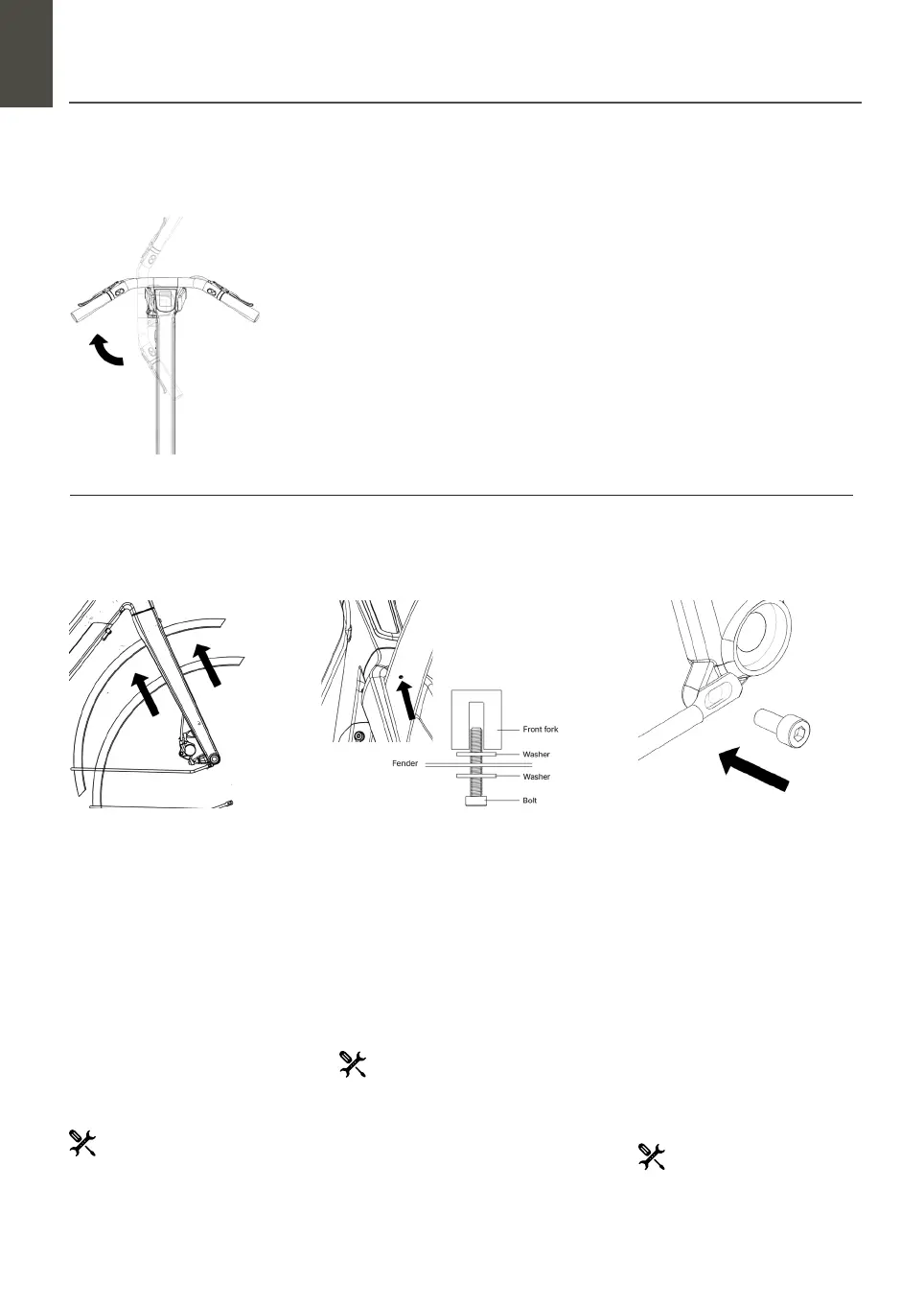
Step 1 : Check Handlebar Cables
The front fork and handlebar are placed in a 90° turned position in the box. Check if all
cables are freed of packing materials and not tangled.
Step 1 : Unscrew the bolt
and position front fender
On the fender you’ll nd a bolt with
two rubber washers. Unscrew the
bolt with the Allen key 4’ to take one
rubber washer out. This washer
needs to be mounted between the
front fork and the fender.
Position the bike straight and ensure
it can’t tip over. Put the fender in
the correct position in the front fork
crown.
Step 2 : Aach mid-part fender
to front fork
Position the fender where the opening
matches the opening in the front fork
crown. Place one of the rubber washers
between the front fork and the fender.
Tighten the bolt again with the Allen key
4’ (8 Nm).
Step 3 : Aach fender
brackets to front fork
endings
The bolts to aach the fender brack-
ets onto the front fork endings are
already in the front fork. Unscrew the
two bolts with the Allen key 5’. Place
the fender brackets into position
and screw the bolts in with the Allen
key 5’.
Make sure to keep the bolts loose so
you can set the correct position of
the fender aer puing in the wheel.
Step 2 : Turn Handlebar / Front Fork
The only thing you need to do is turn the handlebar 90° into the right position. No need
to adjust bolts.
Allen Key 4’ (or torque wrench)
Allen Key 4’
Allen Key 5’


 To Next Page