26
EN
4. Get to Know Your Bike
Feel safe during your ride. Easily share your live location for an hour with an emergency contact. Ensure to enable this feature in the App
when you want to use it. This feature only works when you have enabled this in the Velorei App and when you have a Bluetooth connec-
tion with the App.
The Electric Two is equipped with an Enviolo® AutomatiQ shiing device. The Enviolo® is already congured to Velorei standards in our
factory and ready to go. Via the built-in Electric Two display and the Velorei App, you can congure your Enviolo® to your personal needs.
When safety tracking is disabled in the Velorei App,
the display will show an error.
Press any control buon on the handlebar to cancel the
countdown.
Step 1 : Enable Safety tracking in App
In the Velorei App you can enable and disable this feature in the seings.
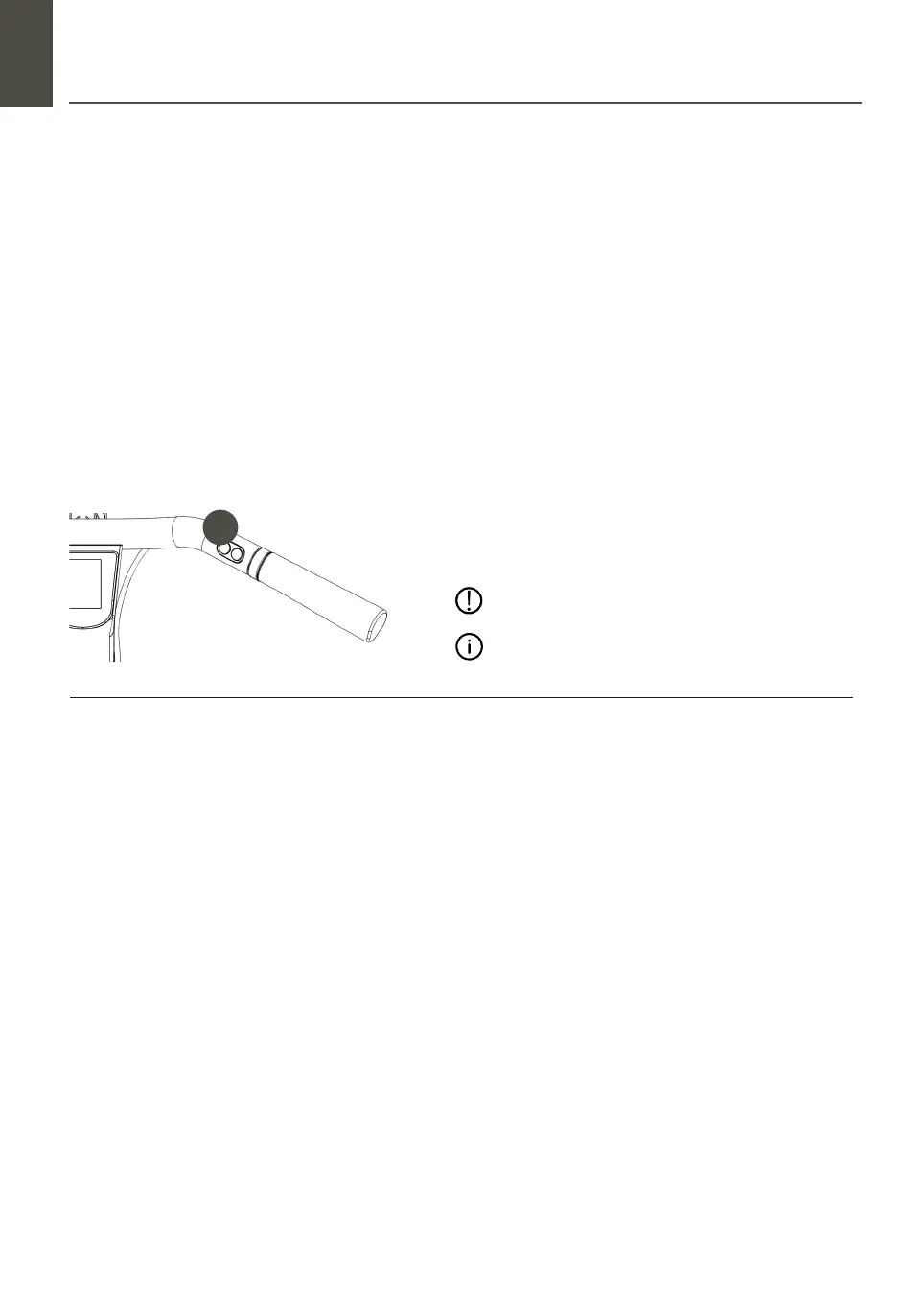
Step 3 : Activate though the handlebar
Press control buon 3 on the handlebar for 2 seconds to activate. A countdown will start. During the countdown, the bike produces
ickering lights and sounds.
Change Cadence (RPM)
The cadence is the number of rotations your pedals make per minute (RPM) as you ride. Find your RPM by adjusting the RPM via the
display or the Velorei App. Switch to the RPM screen on your display and use the handlebar control buons to increase or decrease the
cadence, with 5 RPM per push. Seing your RPM can also be done via the Velorei App.
Change Cadence (RPM)
Sport Mode (default seing) for a powerful ride.
Sport Mode has the most responsive shiing mode. When it detects, you are not pedalling at the set cadence. Therefore, it will shi to
adjust.
Comfort mode for a relaxed, natural ride.
In Comfort mode, the Enviolo doesn’t shi immediately, giving the rider time to reach the set cadence. This oen feels more natural to
riders.
Eco Mode for a ride where less shiing energy is needed.
It reduces the amount of energy by shiing less oen. As a result, you can use this mode to save baery life or in very at conditions
without much starting and stopping.
Change Riders mode
Choose your desired rider mode in the Velorei App.
Step 4 : Activation safety tracking
Aer a few seconds, an SMS is sent to your emergency contact selected in the Velorei App. In addition, the SMS contains a link to check
the bike’s location. The link will be active for 1 hour.
Buon 3
Safety tracking
Press for 2 seconds to activate
Step 2 : Add emergency contact details
4.04 Safety tracking
4.05 Enviolo® shiing
3


 To Next Page