23
EN
4. Get to Know Your Bike
• Turn on / turn o bike
• Control buon click
• Bell
• Safety tracking
Turn on/o bike
Bell ring
Decrease Motor Assistance
Decrease RPM Enviolo® shiing
Safety tracking buon
Increase Motor Assistance
Increase RPM Enviolo® shiing
Turn on/o Osram® Precision light
Switch display screens
Press buon for 2 seconds.
Press buon once.
Press once to decrease assistance
level (Superhero to 0)
Press once to decrease RPM level.
Only possible when the display shows
an RPM (Rotations per Minute) view.
See Chapter 4.05 on Safety tracking for
more info. Cancellation of activation is
possible by pressing a random buon.
Press once to increase assistance level (0 to Superhero)
Press once to increase RPM level.
Possible when the display shows the RPM (Rotations per Minute) view, which you change by buon 2.
Press for 2 seconds.
Hyperbolic front and rear lights are always on and can’t be turned o.
Press buon once to switch screen.
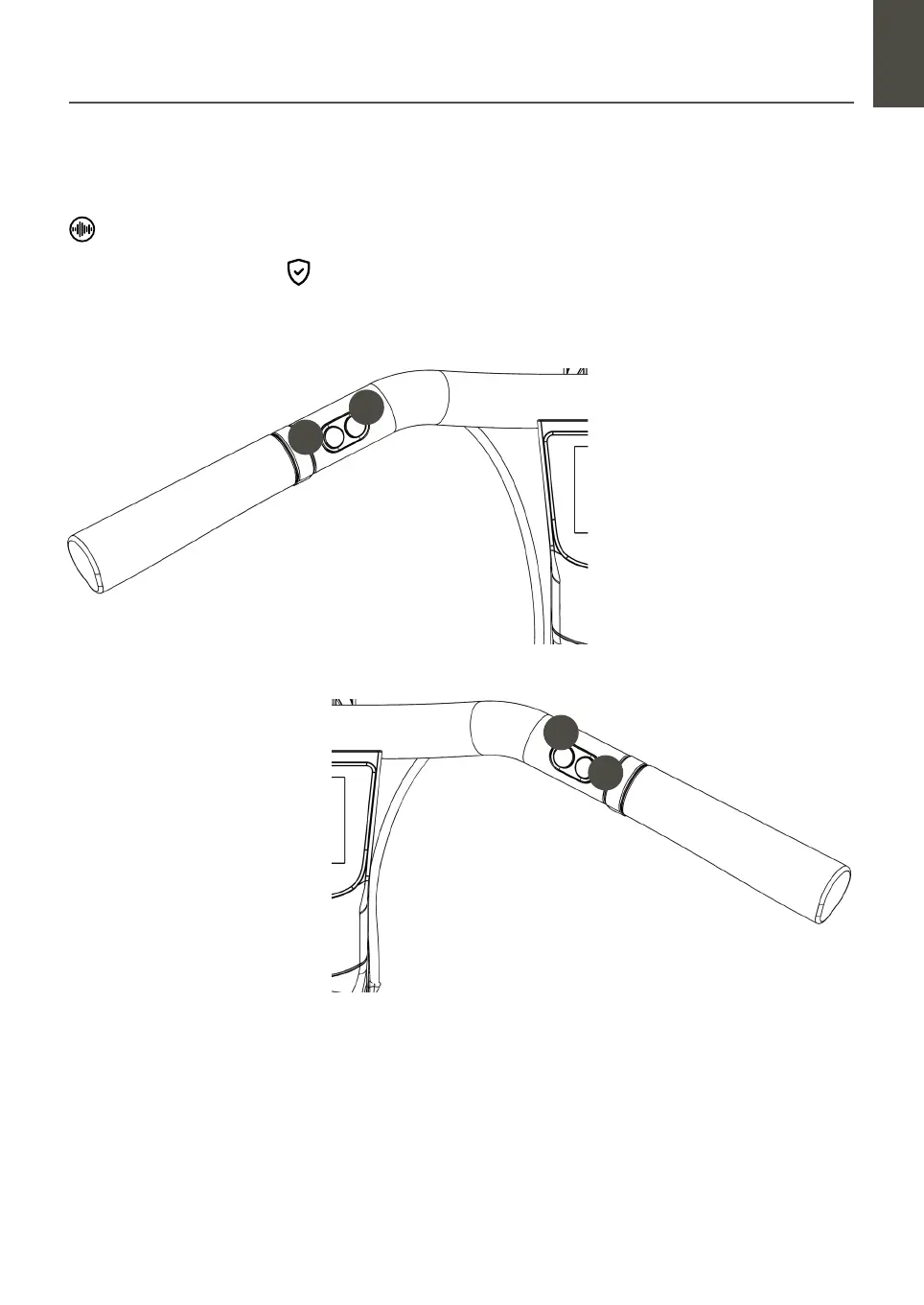
4.02 Handlebar controls and sounds
Sounds
Buon 2
Buon 1
Buon 3
Buon 4
1
2
3
4
Handlebar control buons electrical component
The electrical system of your Electric is very powerful. If you notice any damage to the
electrical system, remove the baery immediately. Aer a fall or an accident, live electrical
components may be exposed. If you have any questions or problems, please contact Cus-
tomer Care. A lack of expertise can lead to serious accidents.


 To Next Page