24
9. TROUBLESHOOTING (CONT'D)
• Unplug the unit. Disconnect
the main control and the
auxiliary control(s) (if need
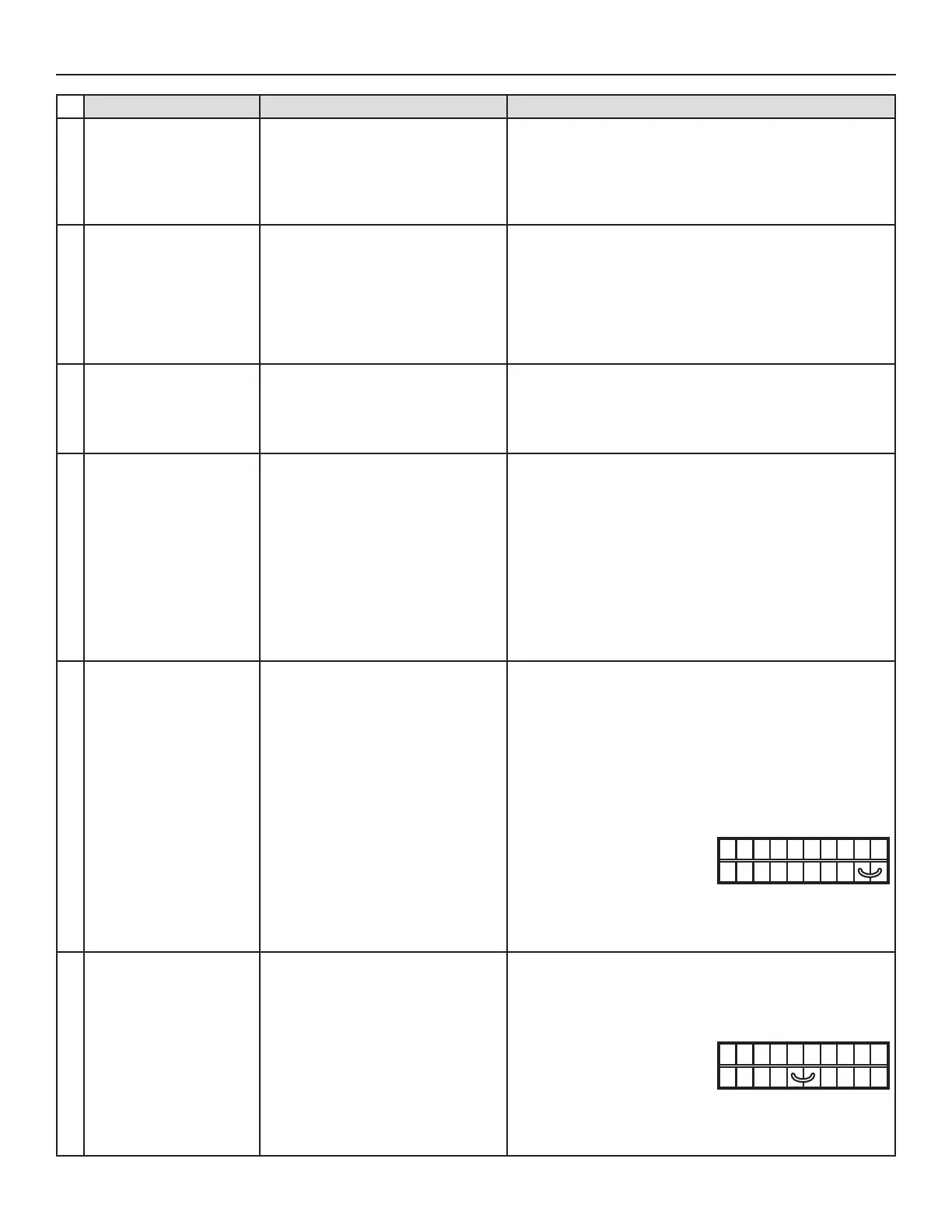
be). Jump G and B terminals.
Plug the unit back and wait about 10 seconds. If the motors
run on high speed and the damper opens, the circuit board
is not defective.
NO C NC I OC OL Y R G B
VE0097
PROBLEMS POSSIBLE CAUSES YOU SHOULD TRY THIS
1
The error code E1 is
displayed on Altitude,
Platinum or Deco-Touch
wall control screen.
• Unit not compatible with control.
• The wires may be in reverse position.
• The wires may be misconnected.
• The wires may be broken.
• Check table on page 2 for control compatibility.
• Ensure that the color coded wires have been connected to
their appropriate places.
• Ensure the wires are correctly connected.
• Inspect every wire and replace any that is damaged. If wires
are hidden into walls, test the control using a shorter wire.
2
There is no outside
temperature displayed on
Altitude or Platinum wall
control screen
__.
• The unit is in error.
• RED wire in control cable damaged
or misconnected.
NOTE: At its very start-up or after a power failure, it takes
some minutes before the outside temperature appears
on screen. The shortest delay is obtained when the
wall control is set on MIN or MAX in VENT Mode.
• Check the unit LED to see if it is flashing; if so, refer to the
previous table.
• Ensure the RED wire is not damaged and properly connected.
3
Altitude, Platinum or
Deco-Touch wall control
screen alternates
between normal display
and E3.
• The Altitude, Platinum or
Deco-Touch wall control may be
defective.
• Replace the Altitude, Platinum or Deco-Touch wall control.
4
The wall control does not
work.
S10 ERV, S10 ECM ERV, S10c ERV,
70E, 70E ECM and 70Ec units only:
• Unit integrated control set to low
or high speed (AMBER or GREEN
continuous LED).
All units:
• Unit not compatible with control.
• The wires may be in reverse position.
• The wires may be misconnected.
• The wires may be broken.
• Defective wall control.
• Press on the integrated push button until the LED turns off.
• Check table on page 2 for control compatibility.
• Ensure that the color coded wires have been connected to
their appropriate places.
• Ensure the wires are correctly connected.
• Inspect every wire and replace any that are damaged.
• Replace the wall control.
5
Unit does not work (LED
not lit on power up).
• Unit is unplugged.
• No power to power outlet.
• The fuse may be defective.
• J10, J9, or J8 connector(s) may be
unplugged.
• The transformer may be defective
(no 9.5 VAC between J8-4 and J8-5).
• The PCB may be defective.
• Make sure the unit is plugged.
• Test the power outlet with another electrical device (e.g.: a
lamp). If it does not work, call an electrician.
• Check if fuse F1 (located on the PCB) is blown. In that case,
replace fuse F1 as per product nameplate.
• Check the connection of J10, J9, and J8 connector(s).
• With unit powered and J9 connected, check if there is about
9.5 VAC between transformer connector J8-4 and J8-5
(YELLOW wires). If no, change the transformer.
6
The Dehumidistat
OR other auxiliary control
does not work.
• The wires may be in reverse postion.
• The wires may be misconnected.
• The wires may be broken.
• The Dehumidistat or push button
may be defective.
• Ensure that the color coded wires have been connected to
their appropriate places.
• Ensure the wires are correctly connected.
• Inspect every wire and replace any that is damaged. If wires
are hidden into walls, test the control using a shorter wire.
• Jump the OL and OC
terminals. If the unit switch
to high speed, remove the
Dehumidistat or push button
and test it right beside the unit using another shorter wire.
If it works here, change the wire. If it doesn’t, change the
Dehumidistat or the push button.
NO C NC I OC OL Y R G B
VE0098



 To Next Page