14
3 Network configuration
3.1 Wi-Fi connectivity
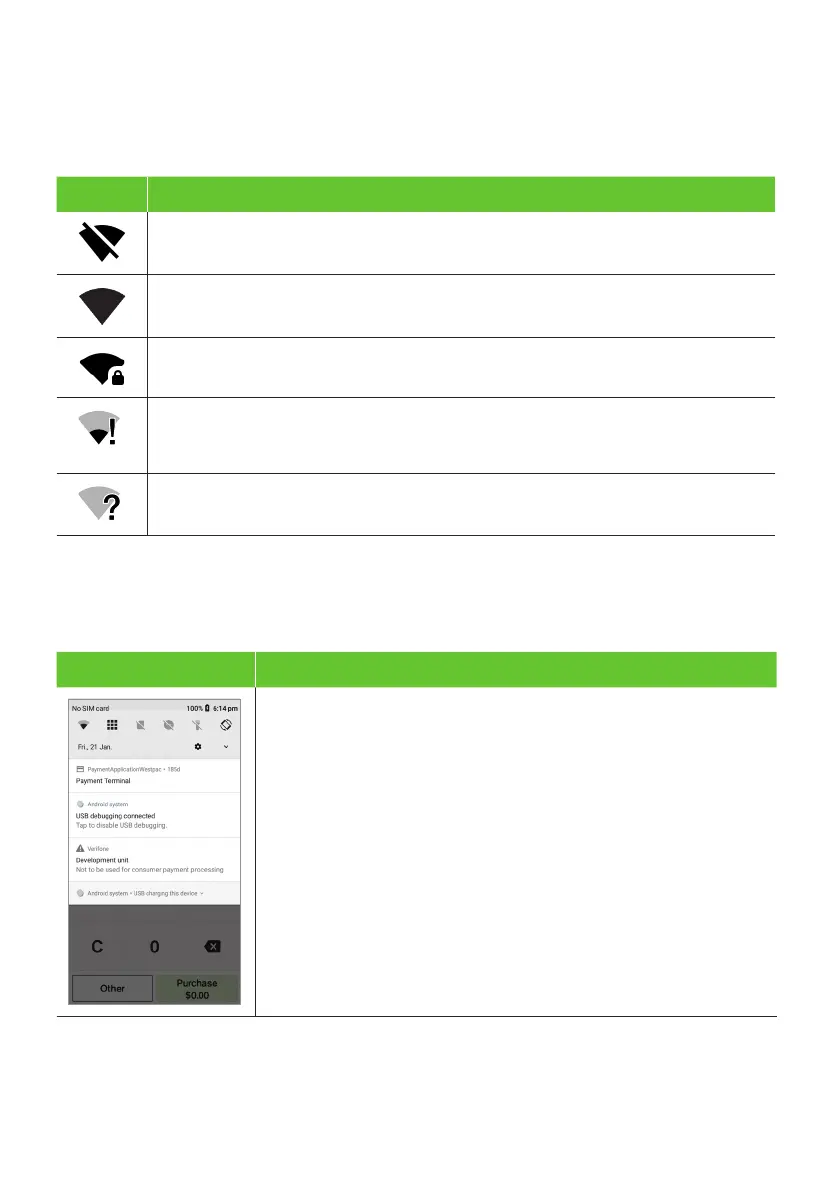
Icon Description
Wi-Fi is disabled.
Wi-Fi 4 bars (Strongest Signal)
Wi-Fi network being referenced is password protected.
The terminal is connected to the Wi-Fi access point but does not have a
connection to the internet. This means that you need further authentication
to get access or there could be a problem with the Wi-Fi router’s connection.
The terminal has detected Wi-Fi networks but isn’t connected to any presently.
Wi-Fi can be set up from the Status Bar at the top of the touch screen.
To access the Wi-Fi settings from the Status Bar
Terminal Screen Next Step
1. Swipe down from the top of the screen to view the status icons.
2. Press and hold the Wi-Fi icon. The Wi-Fi settings will open.


 To Next Page
 Loading...











