35
6.9 Processing a cash out only transaction
If enabled, your terminal can process Cash Out transactions, available from cheque
or savings accounts only.
You may enable or disable the Cash Out feature by contacting the Merchant Helpdesk.
Terminal Screen Next Step
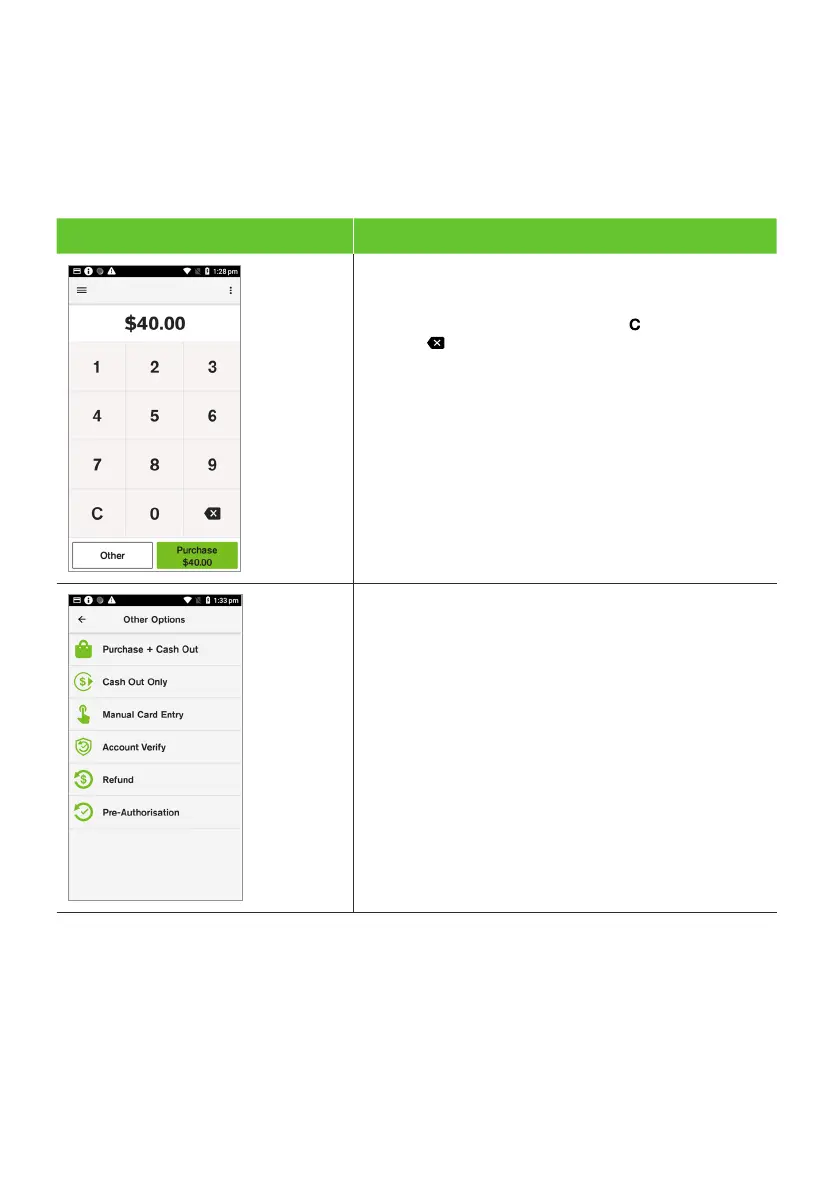
1. From the amount-entry screen enter the Cash
Out amount (e.g, $40.00 = 4000).
Note: If a correction is required, press to clear the value
or press to remove the last number entered.
2. Select Other.
3. The Other Options menu will be displayed. Select
Cash Out Only.



 To Next Page