8
Ordering stationery by phone
Call the Merchant Helpdesk 1300 650 977 (available 24 hours a day, 7 days a week).
Follow the prompts and use your phone keypad to enter the following details:
• Your stationery items and quantities; followed by
• your Merchant Number (MID); and
• your Trading Address Postcode.
2 Let’s get your new terminal started
This guide will assist you to setup your terminal and start processing secure payments
for your business.
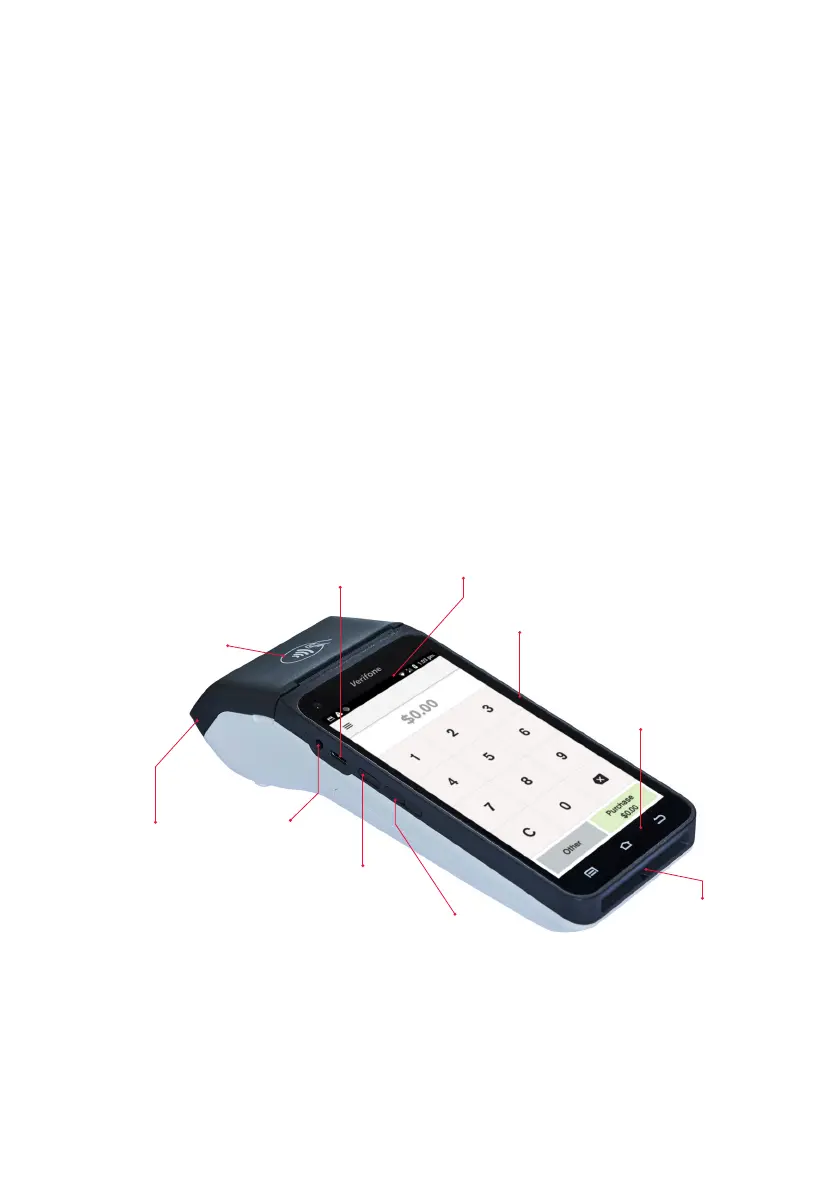
2.1 Terminal layout
Get to know your terminal and its features
USB-C
charging port
Contactless
card reader
Paper
compartment door
Power/Accessibility
mode button
Headphone jack
Magnetic stripe
reader
Navigation bar
Volume buttons
Chip card
reader
Status bar



 To Next Page