38
EN
/8-1
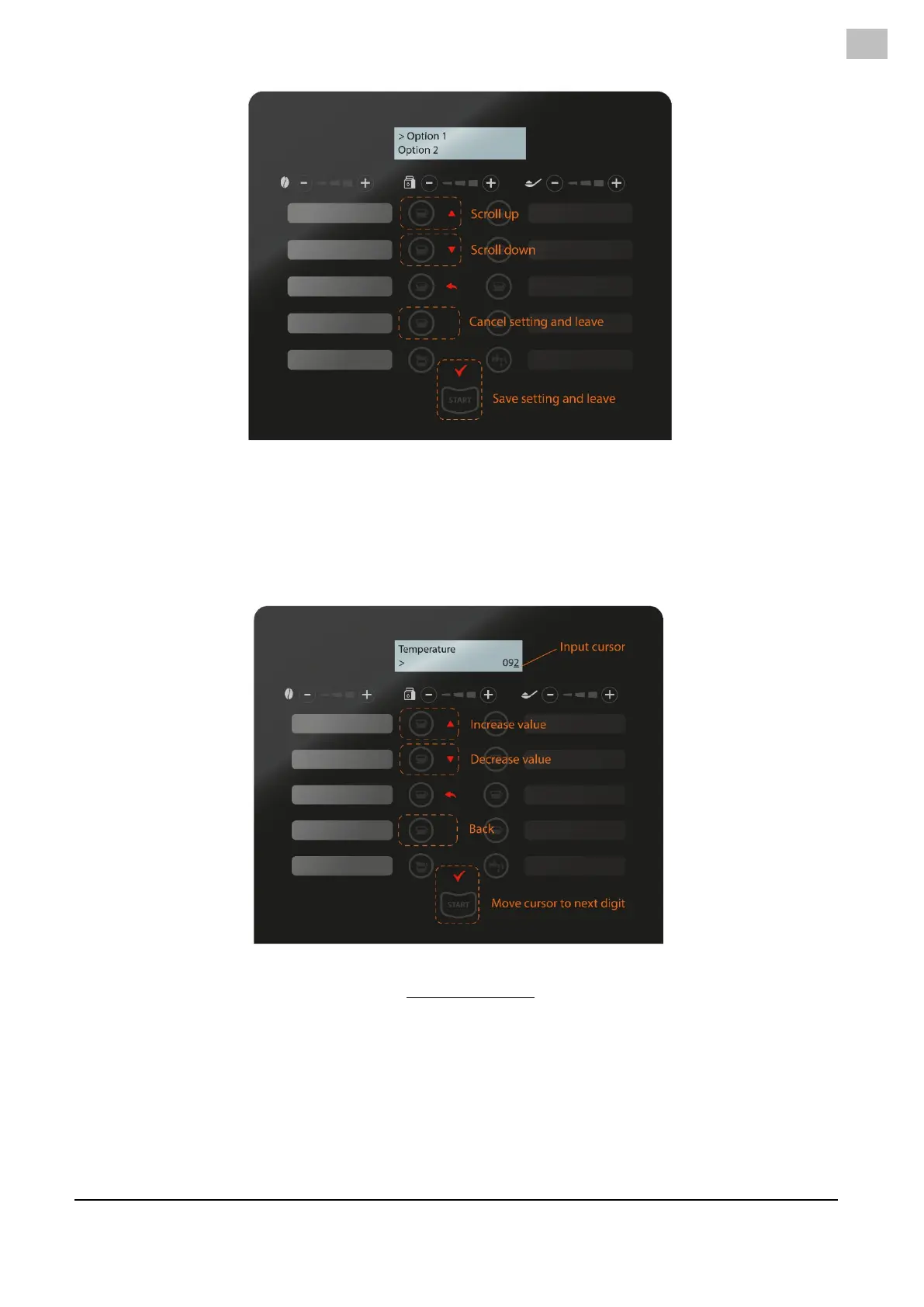
By SCROLLING, the options can be selected.
By pressing ENTER, the desired option is saved and this menu is left to the previous branch.
By pressing BACK, the process is cancelled, the original setting remains, and the menu exits to the
previous branch.
In an alfa-numerical edit field, the navigation keys work slightly different (/8-2).
/8-2
With the SCROLL keys, the value (with the underscore cursor) can be changed with the UP/DOWN keys.
To move to the next digit, the ENTER key can be pressed which moves the cursor one place.
The BACK key must be used to exit this edit field (as the ENTER has now a different function).
After leaving an edit field, the machine asks to save the new value. Acknowledge this by pressing ENTER.
Press BACK to cancel the new value and restore the original value (/8-3).



 To Next Page