55
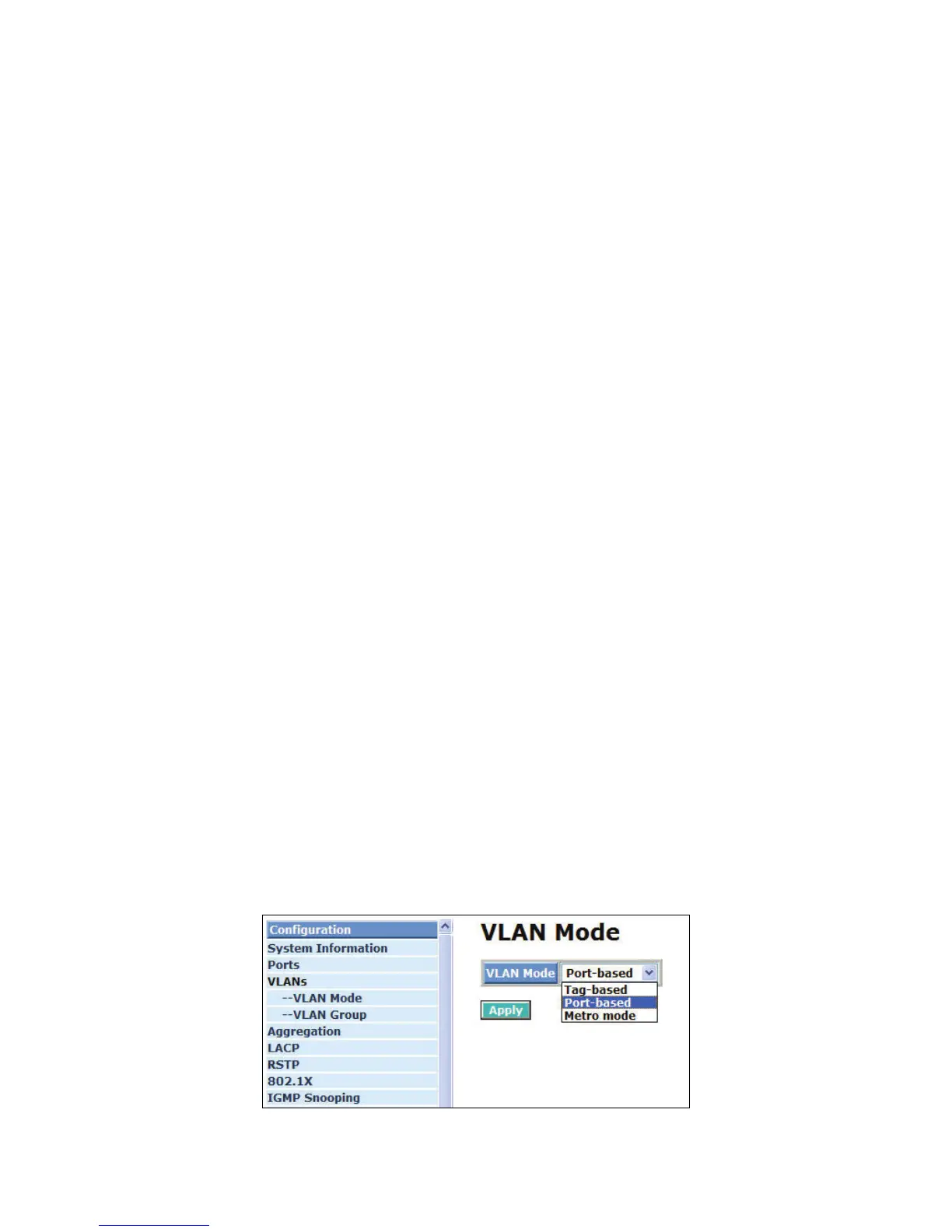
4-2-3. VLAN Mode Configuration
The Web Smart Switch supports Port-based VLAN and Tag-based VLAN (802.1q). Its VLAN mode
supports 16 active VLANs and the available VLAN ID range is from 1~4094. VLAN configuration is used
to divide a LAN into smaller ones. With proper configuration, you can gain not only improved security and
increased performance, but can also save a lot of VLAN management effort.
Function name:
VLAN Mode Setting
Function description:
The VLAN Mode Selection function includes four modes: Port-based, Tag- based, Metro mode or
Disable, you can choose one of them by pulling down list and pressing the <Downward> arrow key.
Then, click <Apply> button, the settings will take affect immediately.
Parameter description:
VLAN Mode:
Port-based:
Port-based VLAN is defined by port. Any packet coming in or outgoing from any one port
of a port-based VLAN will be accepted. No filtering criterion applies in port-based VLAN.
The only criterion is the physical port you connect to. For example, for a port-based
VLAN named PVLAN-1 contains port members Port 1&2&3&4. If you are on the port 1,
you can communicate with port 2&3&4. If you are on the port 5, then you cannot talk to
them. Each port-based VLAN you built up must be assigned a group name. This switch
can support up to maximal 16 port-based VLAN groups.
Tag-based:
Tag-based VLAN identifies its member by VID. This is quite different from port-based
VLAN. If there are any more rules in ingress filtering list or egress filtering list, the packet
will be screened with more filtering criteria to determine if it can be forwarded. The switch
supports supplement of 802.1q. For more details, please see the section VLAN in
Chapter 3.
Each tag-based VLAN you built up must be assigned VLAN name and VLAN ID. Valid
VLAN ID is 1-4094. User can create total up to 24 Tag VLAN groups.
Double-tag:
Double-tag mode belongs to the tag-based mode, however, it would treat all frames as
the untagged ones, which means that tag with PVID will be added into all packets. Then,
these packets will be forwarded as Tag-based VLAN. So, the incoming packets with tag
will become the double-tag ones.
Metro Mode:
The Metro Mode is a quick configuration VLAN environment method on Port-based VLAN.
It will create 13, 14, 15 or 16 Port-based VLAN groups.
Fig. 4-5 Select VLAN Mode



 To Next Page