73
4-2-12 Filter
Function name:
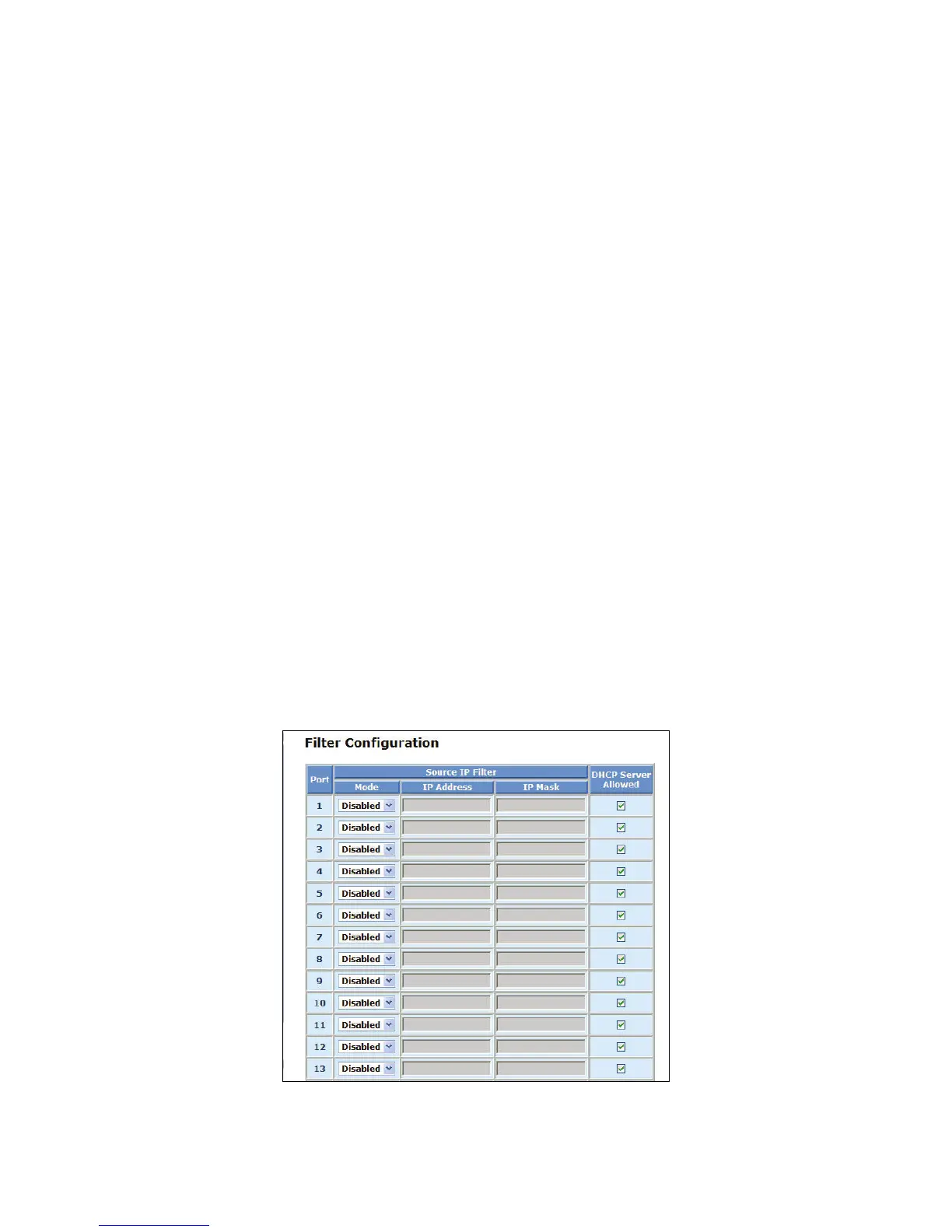
Filter Configuration
Function description:
This function lets administrators easily set management source IP addresses to the ports on the
switch. After completing the settings, please press <Apply> button to make this function take effect.
Parameter description:
Source IP Filter:
Mode:
There are three types of mode in this drop-down menu. Default is disabled.
Disabled:
Allow all IP Addresses to login to the switch and manage it.
Static:
Just allow the IP Addresses that are set by the administrator to login to this switch and
manage it..
DHCP:
Allow the IP Address get from DHCP server can login to this switch and manage it.
IP Address:
Setting up the IP Address, it can be one IP Address or a LAN.
IP Mask:
Setting up the IP Subnet Mask related with the IP Address.
DHCP Server Allowed:
Just tick the check box (
;) under the port x to allow the DHCP Server on this port and valid
port is Port 1~16.
Default: enable
Fig. 4-24 Filter Configuration



 To Next Page