83
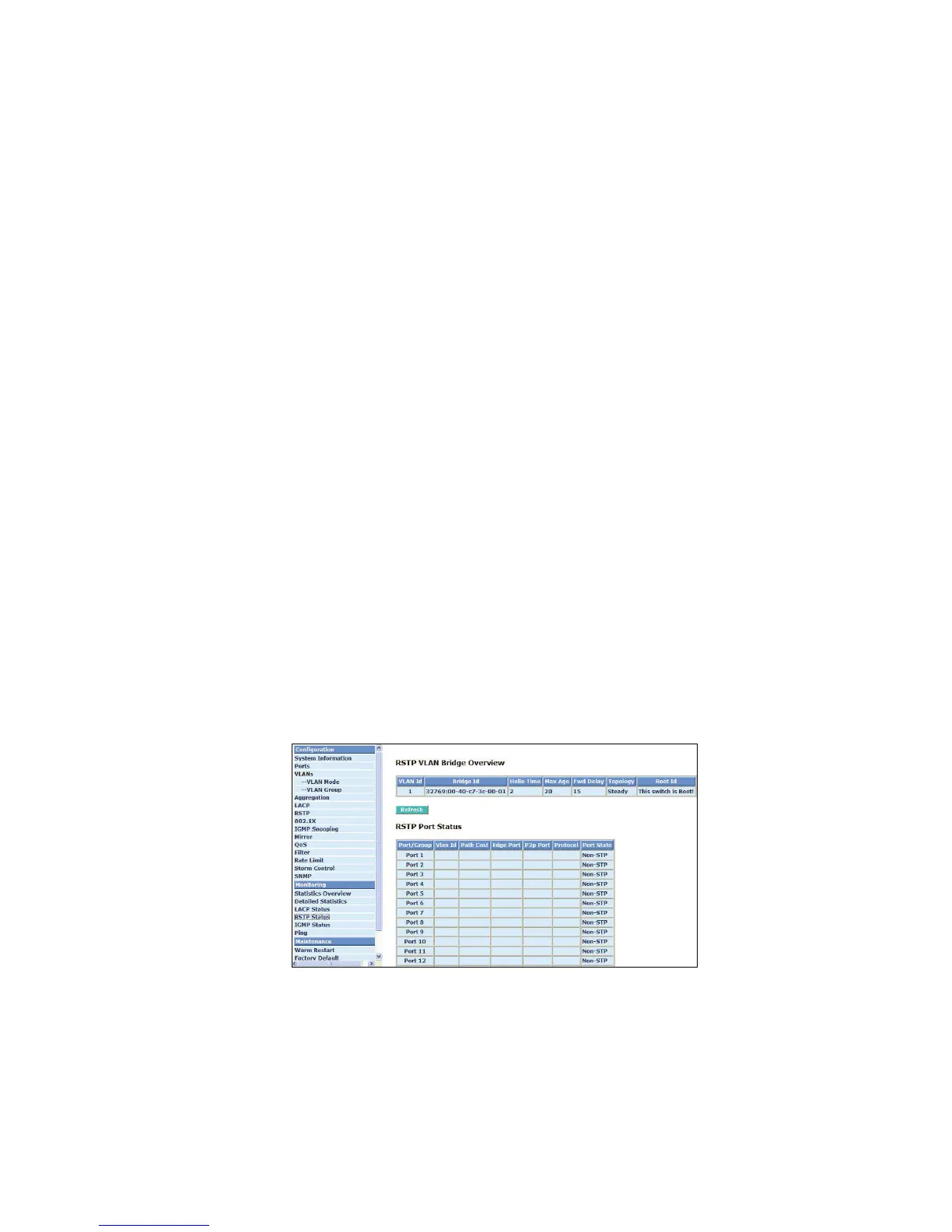
4-3-4. RSTP Status
Function name:
RSTP Status
Function description:
Display RSTP status. Fig. 4-28 shows you that RSTP window can present VLAN bridge information
and the status of all ports.
Parameter description:
RSTP VLAN Bridge Overview:
VLAN Id:
Show the VLAN Id.
Bridge Id:
Show this switch’s current bridge priority setting and bridge ID which stands for the MAC
address of this switch.
Hello Time:
Show the current hello time of the root bridge. Hello time is a time interval specified by
root bridge, used to request all other bridges periodically sending hello message every
“hello time” seconds to the bridge attached to its designated port.
Max Age:
Show the root bridge’s current max age time.
Fwd Delay:
Show the root bridge’s forward delay time.
Topology:
Show the root bridge’s spanning tree topology.
Root Id:
Show root bridge ID of this network segment. If this switch is a root bridge, the “This switch is
Root” will show this switch’s bridge ID.
Fig. 4-31 RSTP Status
4-3-5. IGMP Status
Function name:
IGMP Status
Function description:
Display IGMP status. In Fig. 4-29, the window shows VLAN ID for each multicast group.
Parameter description:



 To Next Page