EXS
User Manual 10H52260UM60 - Rev. 1 - 10/2017 55
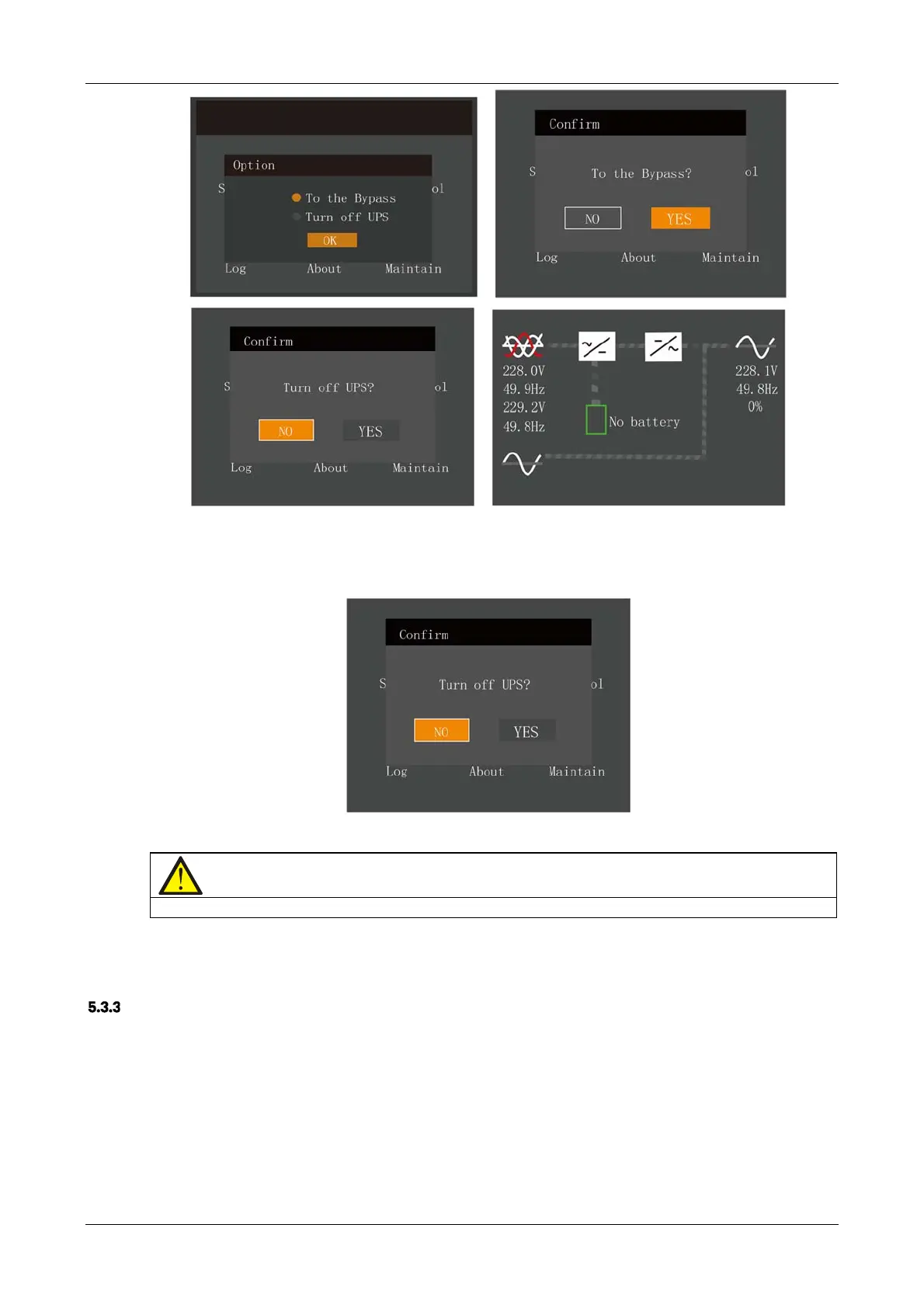
Figure 5-8 Bypass normal interface
In Inverter mode, press and hold the power button. If the bypass is abnormal, then the interface shown in Figure 5-9
will appear, select 'YES' to shut down the UPS output.
Figure 5-9 Bypass abnormal interface
Note
In Bypass mode, the load is directly fed by the mains power instead of the pure AC power from the inverter.
For detailed information about Normal mode, Bypass mode, and Battery and Maintenance Bypass mode, please refer
to 1.4 .
Transfer From Bypass Mode To Inverter Mode
In Bypass mode, press and hold the power button.
If ECO mode is not enabled, the interface shown in Figure 5-10 will appear.










 To Next Page