EXS
80 User Manual 10H52260UM60 - Rev. 1 - 10/2017
Power Cables
The power cable of dual-bus power system is similar to that of single system. Refer to 3.1 Connecting the Power
Cables
.
LBS Cable
Note
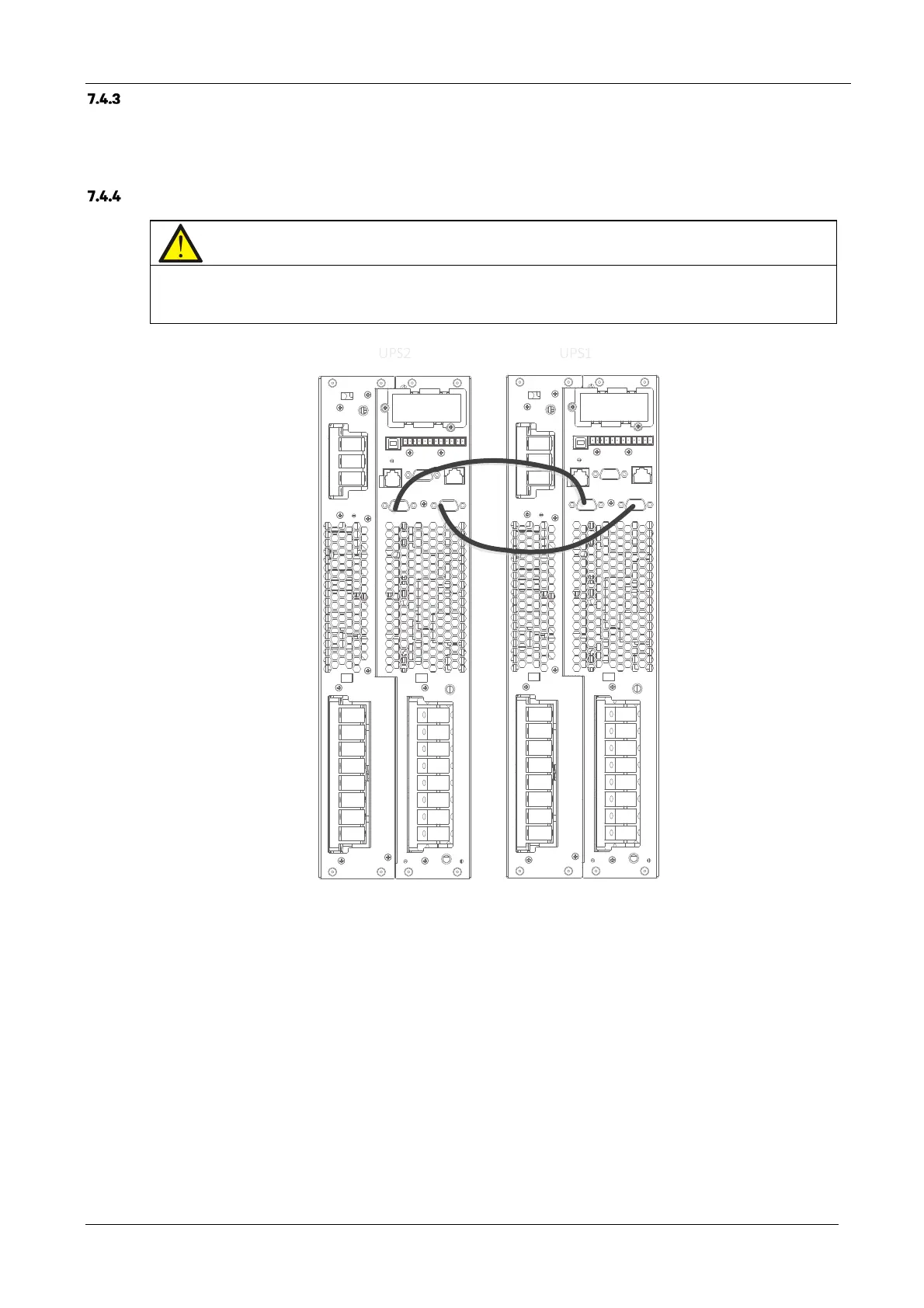
1. The appearance of the LBS port is the same as the parallel port (see Figure 3-6).
2. In the case of dual bus systems consisting of parallel UPS units, we recommend preparing two LBS cables for connecting
any two parallel/LBS ports of the two parallel system, in order to guarantee a secure connection.
Figure 7-5 LBS cable connections
See Figure 7-6 for the LBS parameters setting interface.
LBS parameter setting procedures.
Access 'Settings' -> 'System' -> 'LBS’ to set-up the LBS according to the specific requirements.
There are three items that may be selected during the LBS setting procedure: Disable, Slave, Master.
UP
1UP
2










 To Next Page