EXS
User Manual 10H52260UM60 - Rev. 1 - 10/2017 83
Note
1. No batteries are supplied with the internal battery kit (site installation).
2. Battery cables and battery trays are designed according to the specifications of valve-regulated lead acid batteries 12V-
9Ah. If internal battery kits are required for site installation, please purchase batteries having the same specifications.
Preparation
1. Prepa
re the installation tools, including a cross head screwdriver, a pair of insulated gloves, a sleeve, an ad
justable
spanne
r, and a multimeter.
2. Check tha
t all installation materials are present and complete, including internal batteries, eight
battery trays and
the correspo
nding battery power cables.
Procedures
1. S
hut down the UPS complete
ly.
a) Disco
nnect the load
b) Refer t
o 5.6.1 Procedures For Completely Shutting Down the UPS for UPS module shut down, and 7.3.5
for
parallel s
ystem shut down.
c) All
the LCDS are off, wait five minutes for the internal UPS DC bus capacitors to disc
harge fully.
2. Install the internal batteries.
Installing standard UPS
internal batteries
a) Remo
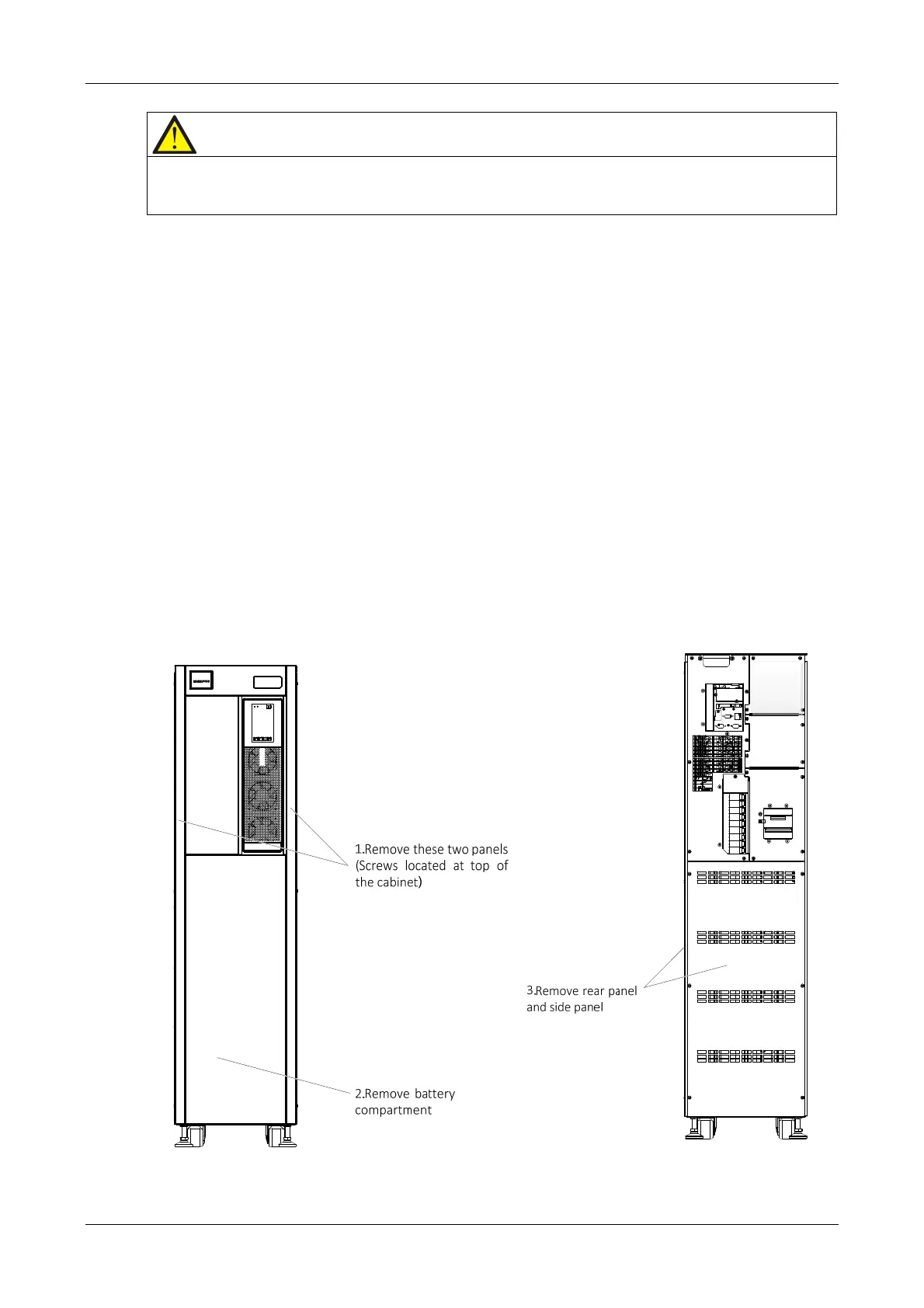
ve the corresponding panels, as shown in Figure 8-1. Do not throw the screws away
b) Rem
ove the four battery accessory trays and position the batteries on them as shown in Figure 8-2, th
en connect
cable W104 and cable W105.
Front view Rear view
Figure 8-1 Removing the corresponding covers










 To Next Page