EXS
86 User Manual 10H52260UM60 - Rev. 1 - 10/2017
Note
The user must remove the insulating film before connecting the cables, and replace the insulating film after the connection
procedure is complete.
e) Connect t
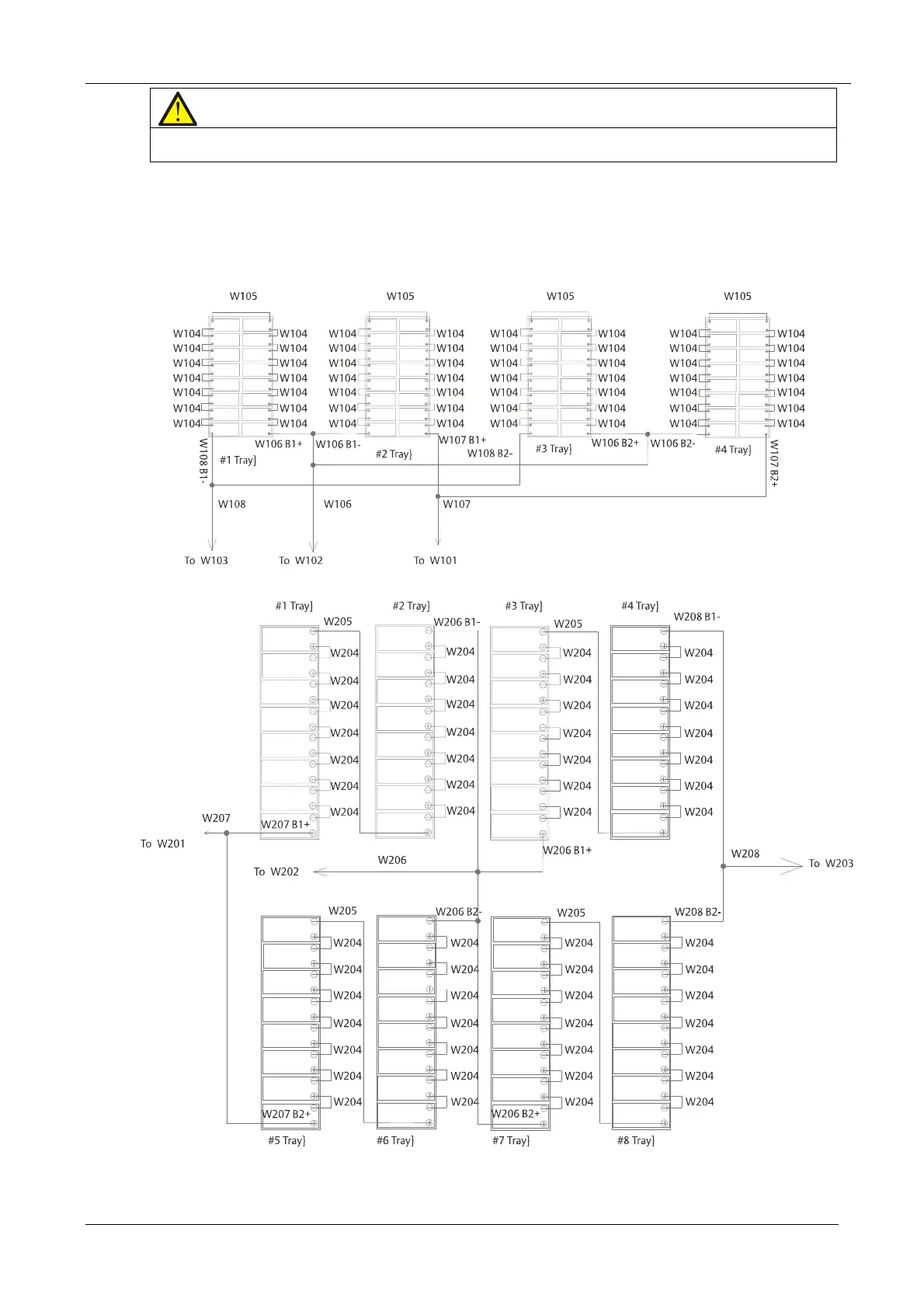
he cables: W101 and W107, W102 and W106, W 103 and W108, then connect cables: W201 and
W207,
W202 and W206, W203 and W208.
f) Use a multimeter to
guarantee the battery polarities are correct
.
g) Rep
lace the cover on the battery co
mpartment.
Battery trays for standard UPS
Battery trays for UPS with side cabinet










 To Next Page