EXS
User Manual 10H52260UM60 - Rev. 1 - 10/2017 85
Installing internal batteries on UPS with side cabinet
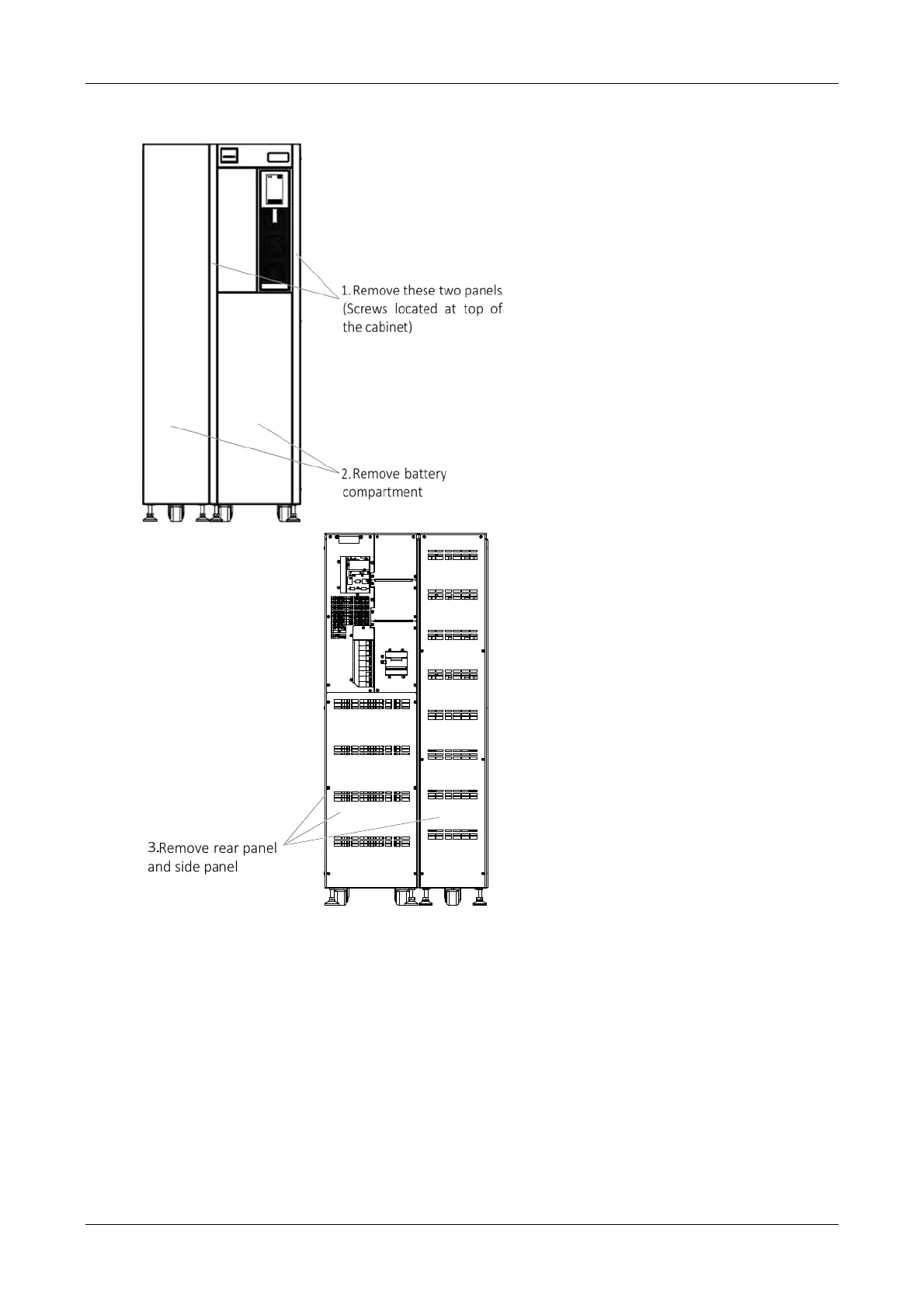
a) Remove the
corresponding covers, as shown in Figure 8-3. Do not throw the screws away
Front view Rear view
Figure 8-3 Removing the corresponding covers
b) Remove the four battery trays for the standard UPS (accessories) and install batteries on their respective trays.
Connect cable W104 and cable W105, insert the four battery trays into the battery compartment (from bottom to
top, see Figure 8-4). Connect cables W106, W107 and W108 as shown in Figure 8-2, then use the screws
(accessories) to secure the battery trays.
b) Rem
ove the eight battery trays for the UPS with side cabinet (accessories), and install batteries on th
eir
respective tra
ys. Connect cable W204, insert the eight battery trays into the battery compartment (from bottom to
top, see Figure 8-4). Connect cables W205, W206, W207 and W208, then use the screws (accessories) to secure the
battery trays.
d) Connect the
cables W101/W201, W102/W202 and W103/W203 to the Bat+, N and Bat- terminals, respecti
vely.










 To Next Page