NetSure
™
Control Unit (NCU)
User Manual, UM1M830BNA
Spec. No: 1M830BNA, 1M830DNA Code: UM1M830BNA
Model No: M830B, M830D Revision M, May 12, 2017
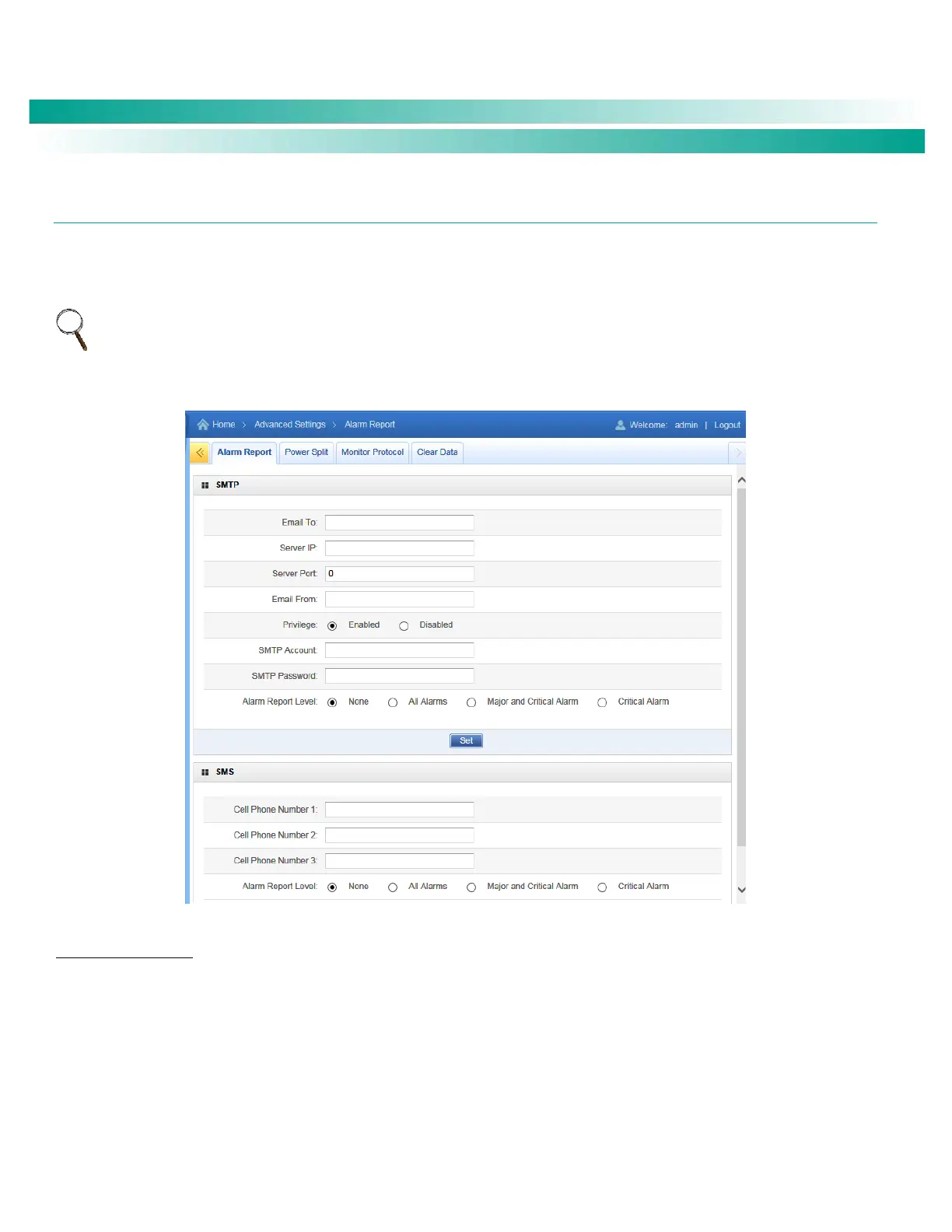
Alarm Report Tab
In the SMTP section, you can set the Alarm Report Feature and part of the Forget Password Feature (you must also set an E-Mail
address in the User tab for the Forget Password feature).
In the SMS section, you can set cell phone number for receiving alarm reports and the alarm report level.
NOTE: A GSM modem must be connected to the USB port of the NCU for SMS functionality.
Figure 99. Alarm Report Tab
Alarm Report Feature
Set the following parameters.
Email To: Valid email recipient to receive alarm reports.
Server IP: IPV4 Server address. Obtain from your IT department.
Server Port: Server port. Obtain from your IT department.
Email From: The NCU or Site email address. Will be displayed in the email from field of the received email.










 To Next Page