NetSure
™
Control Unit (NCU)
User Manual, UM1M830BNA
Spec. No: 1M830BNA, 1M830DNA Code: UM1M830BNA
Model No: M830B, M830D Revision M, May 12, 2017
Language Tab
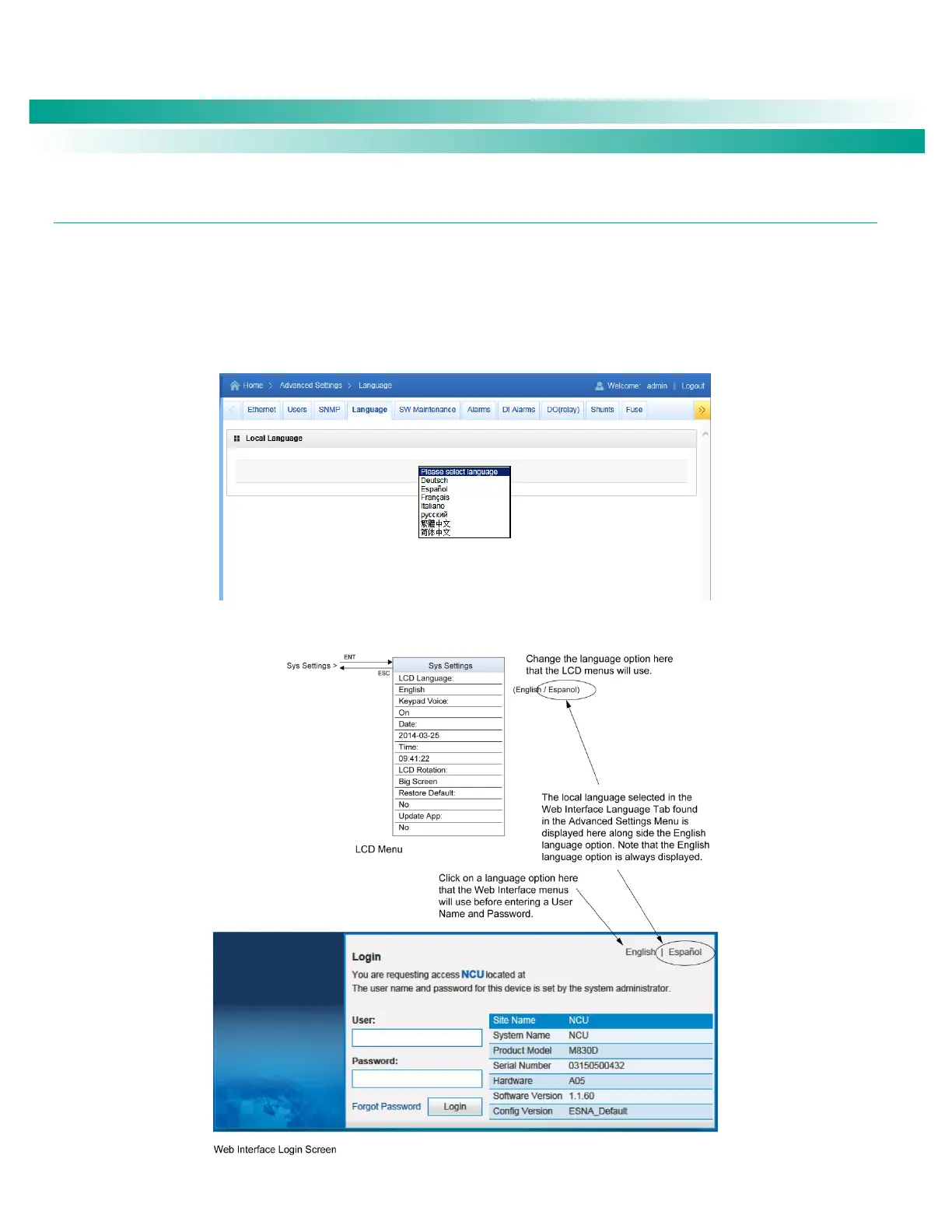
The local display and Web Interface always has an English language option. Multiple local languages are also supported. One local
language option is displayed at a time with the English language option. To select another local language option to display, use the Web
Interface Language Tab.
You can select from the following local languages: German, Spanish, French, Italian, Traditional Chinese, and Simplified Chinese. Once
you select a new local language, the controller is automatically rebooted to make the selected local language valid.
Figure 80. Language Tab
Figure 81. Selecting the Local Language for the Local Display and Web Interface Menus










 To Next Page