NetSure
™
Control Unit (NCU)
User Manual, UM1M830BNA
Spec. No: 1M830BNA, 1M830DNA Code: UM1M830BNA
Model No: M830B, M830D Revision M, May 12, 2017
TL1 AID Signal Tab
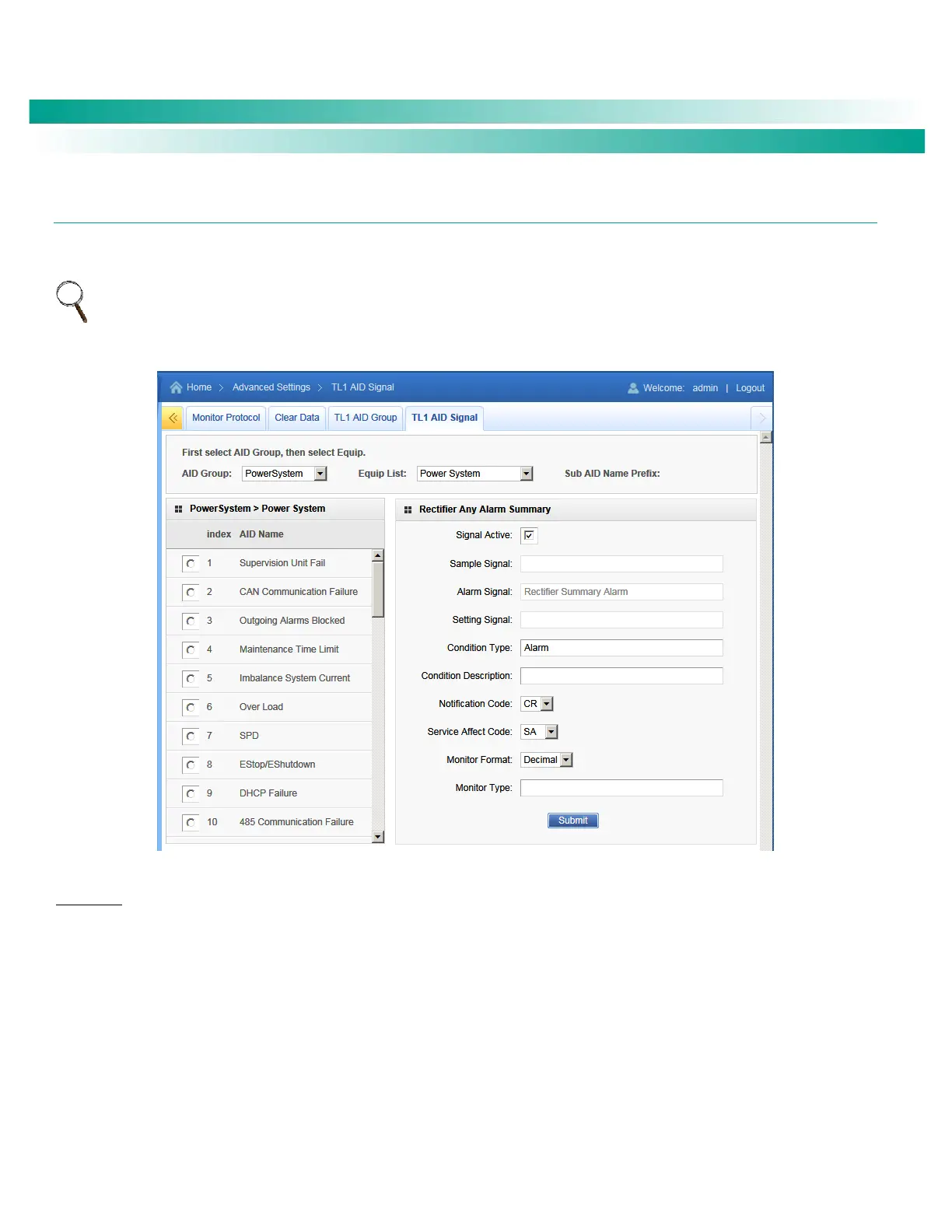
This tab is used to enable/disable and configure the pre-defined TL1 signals. You can enable or disable a signal and set attributes of a
signal (i.e. set condition type, condition description, notification code, etc.).
NOTE: TL1 signals are pre-defined. You cannot add or remove TL1 signals (just enable/disable them). You cannot change the NCU signal
assigned to a TL1 signal and you cannot change the AID that contains the TL1 signal.
Figure 111. TL1 AID Signal Tab
Procedure
You assign signals to the TL1 access identifiers as follows.
1. Select an “AID Group” from the drop-down list. AID groups where programmed using the TL1 AID Group tab.
2. Select an “Equipment List” for this Aid Group from the drop-down list.
3. A list of signals associated to this AID Group appear in the left window pane. Select a signal in the AID Group to be configured.
The AID to signal associations cannot be changed by the customer.
4. Enter the selected signal’s TL1 parameters in the right window pane.
Signal Active: This selects a TL1 signal to be monitored and processed for TL1 commands and reports. The field has one of
two values - ‘active’ or ‘inactive’. Setting the signal to ‘active’ will enable the signal for monitoring and processing of the
associated alarm signals for TL1 commands and reports.










 To Next Page