AHD DVR User Manual
23
4.3.2 DDNS Setup
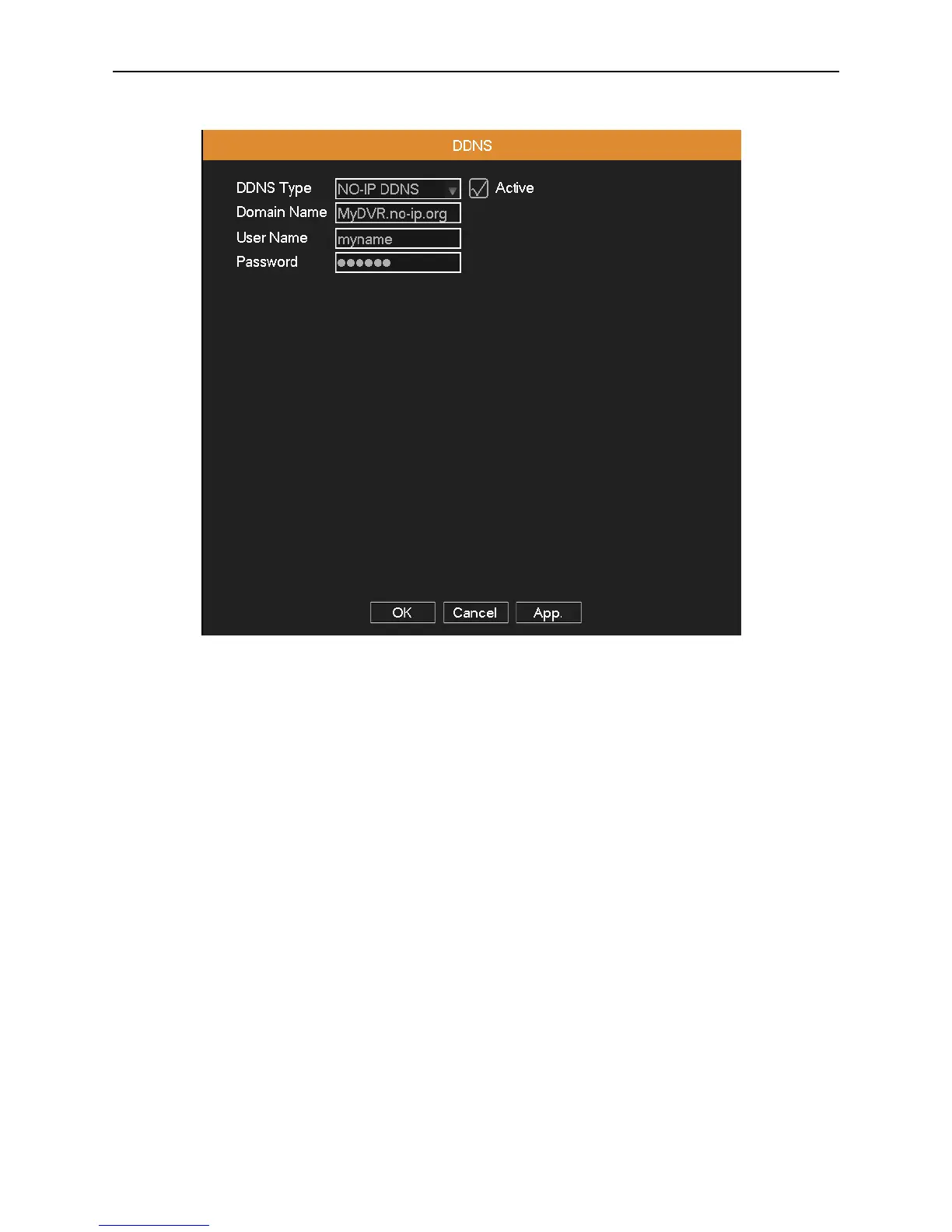
Picture 4.10 DDNS
Active: Activate the DDNS function.
DDNS Type: Choose DDNS supplier.
Domain Name: Input the domain name registered by DDNS.
User Name: Input the account registered by DDNS.
Password: Input the password registered by DDNS.
When the DDNS is successfully configured and start, you can open IE and enter the domain name to visit your DVR
remotely.
Note: The DNS setup must be configured correctly in the network setup.



 To Next Page