AHD DVR User Manual
40
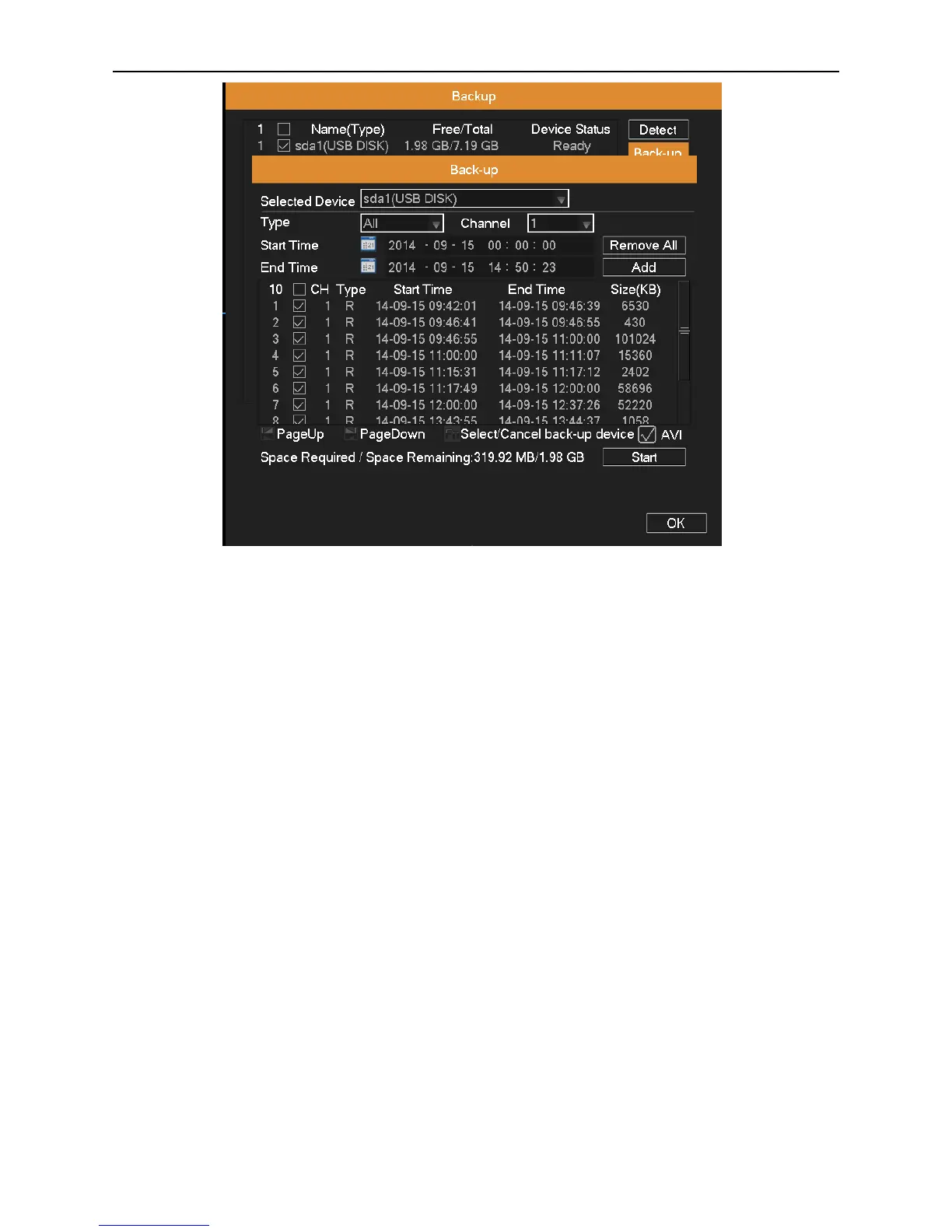
Picture 4.34 Backup
Selected Device: Choose a storage device for backing up files.
Type: Choose the file type.
Channel: Choose a channel or all channels which need to back up data.
Time: Choose the start & end time.
Remove All: Clear the file information.
Add: Show the file information satisfying the criteria you set.
Start/Pause: Click Play button to start the backup and click Pause button to stop the backup.
Backup format: AVI is optional.
4.6.5 Account Management
Manage user permissions.
Note:
1. You can add or delete the user group according to user definition. The factory setup include: user\admin. You can set
new user’s group as you wish. Users can be specified permissions within its group.
2. The user management include: group\user. The group name and user name cannot be the same. Each user only
belongs to one group.



 To Next Page