AHD DVR User Manual
26
Phone Port: Need to map this port on the router while accessing by mobile phone.
HTTP Port: Need to add this port number while browsing by IE.
UPNP: UPNP protocol will be automatic port forwarding on the router, before using this feature, make sure UPNP feature is
enabled on your router.
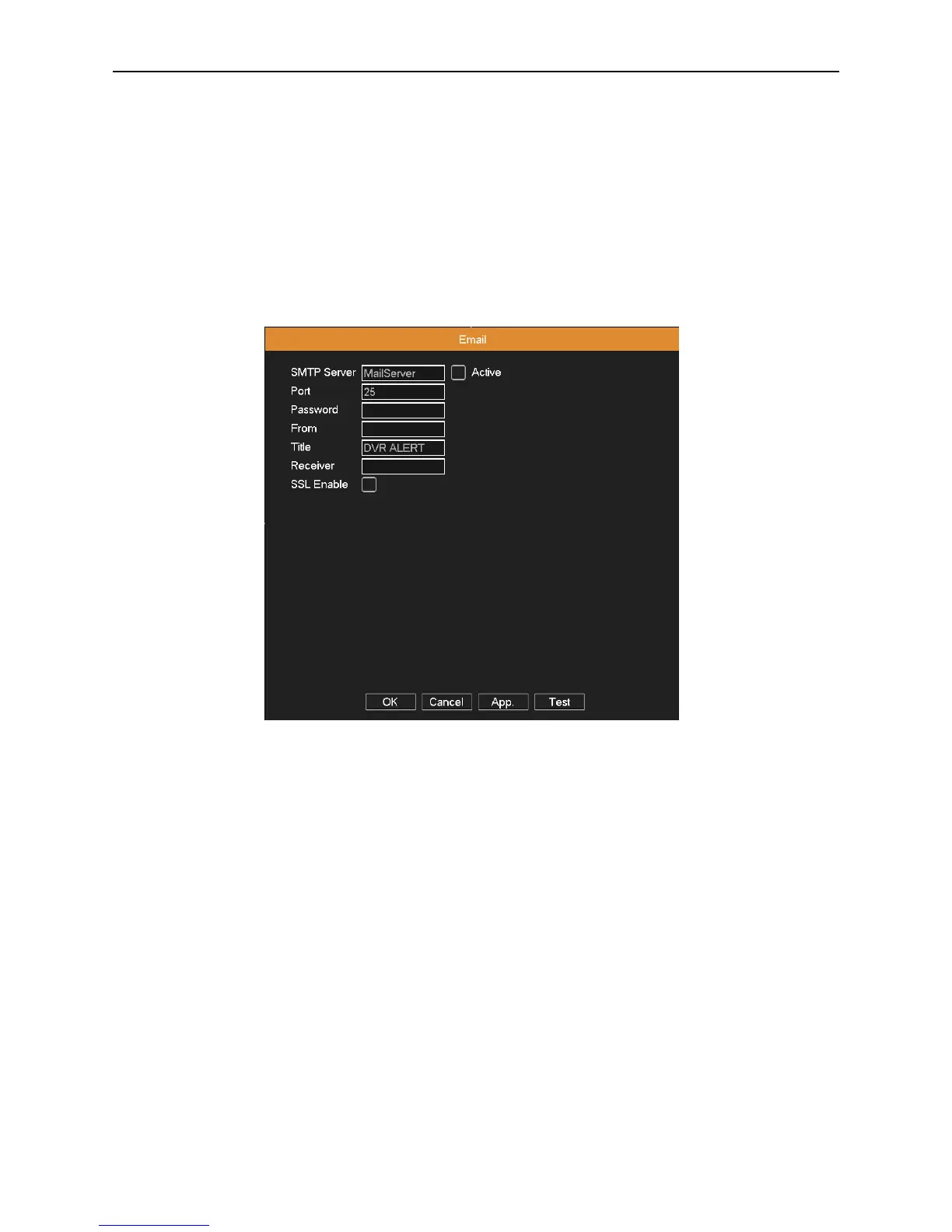
4.3.6 EMAIL Setup
If the alarm is turned on or the alarm linkage photos are taken, send an email about the alarm information and the photos to
the appointed address.
Picture 4.14 Email
SMTP server: For example, SMTP server address of 126 email is “smtp.126.com”.
Port: Email server port number.
Password: Input the password corresponding to the user.
From: Set the email sender address.
Title: The subject of the message, you can set your own.
Receiver: Send an email to the appointed receivers when the alarm is turned on.
SSL Enable: Decide whether to use SSL (Secure Socket Layer) protocol to login.
4.3.7 FTP Setup
FTP used when there get alarm, or alarm linkage to recording, snap pictures, you can specify the FTP server to upload
video and capture specific images.



 To Next Page