AHD DVR User Manual
31
Alarm Out: Start the external equipment of corresponding linkage alarm when the motion detection alarm is turned on.
Delay: Delay a few moments to stop when the alarm state is turned off. The range is 10~300 seconds.
Record channel: Choose the recording channel (multiple options supportive). Trigger the recording signal when the alarm
is turned on.
Note:Set in the “Main Menu” “Record Set” “Record Plan” and perform the linkage recording. And set
“Desktop Shortcut Menu” “Record Mode” to be configured, motion detection linkage recording can work.
Tour: Choose the recording channel (multiple options supportive), which will tour preview with single screen when the
alarm is turned on.
Snapshot: Choose the snapshot channel (multiple options supportive), which will capture a snapshot when the alarm is
turned on.
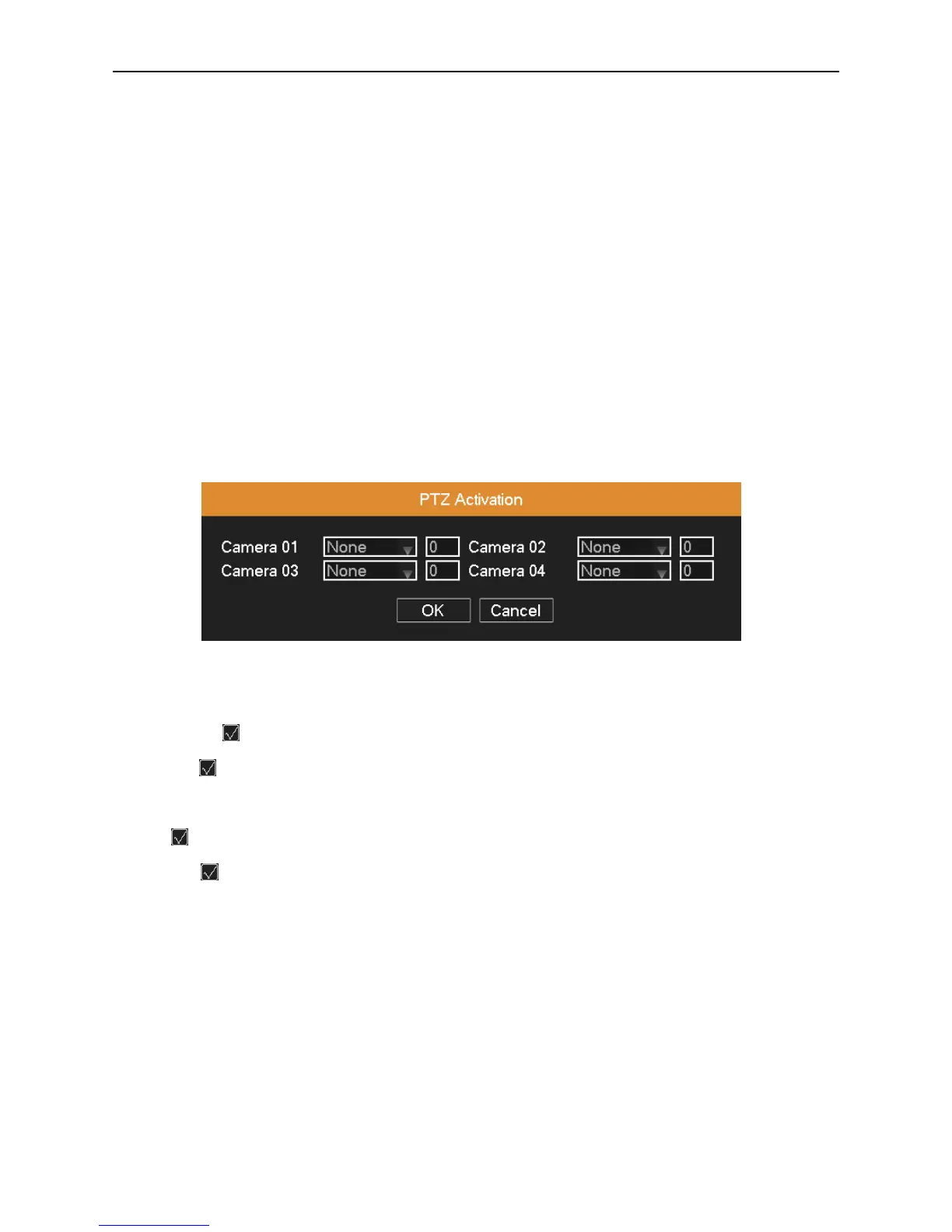
PTZ Activation: Set the PTZ linkage when the alarm is turned on.
Note: Using PTZ linkage needs to set preset, cruise between points and scan etc (“Desktop Shortcut Menu”
“PTZ”“Set”).
Picture 4.22 PTZ activation
Delay: After stopping alarm, it is the extended period to stop alarm recording, the range is 10~300 seconds.
Show Message: means popping the alarm information dialog box in the local host computer’s screen.
Send Email: means sending an email to user when the alarm is turned on.
Note: Sending email function needs to do relative setting in “Main Menu”“Network”“Net Service”.
Buzzer: means when alarm occurs, the equipment issues the "DiDi" sounds of two long ring.
FTP Upload: means when alarm occurs, it will send alarm events to the FTP server.
Note: FTP upload function needs to do relative setting in “Main Menu”“Network”“Net Service”.
Copy: User can copy and apply channel settings to the other channel.
4.4.2 Video Loss
When the equipment cannot obtain the channel video signal, the video loss alarm and the linkage function is turned on.



 To Next Page