AHD DVR User Manual
27
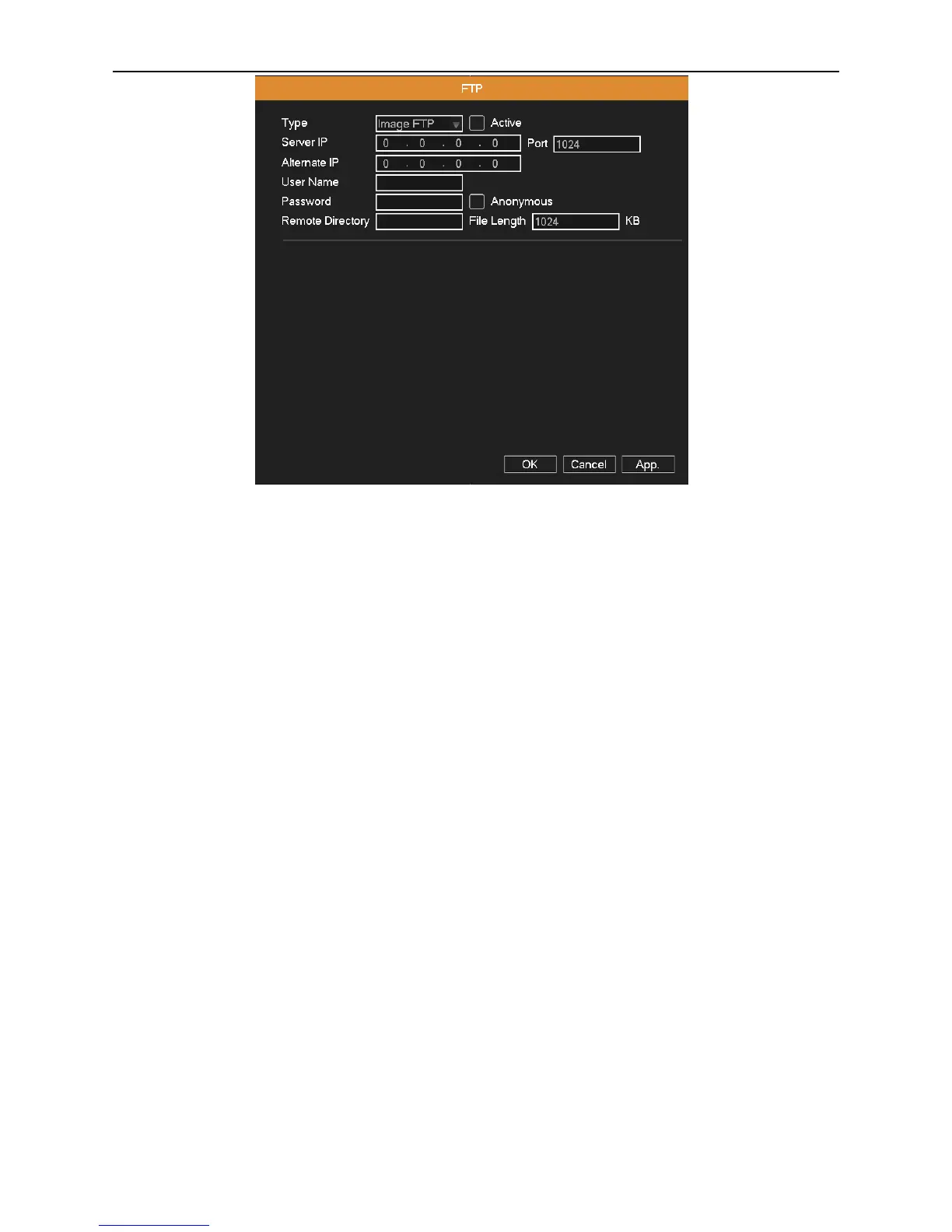
Picture 4.15 FTP
Active: Enable the FTP function.
Server IP: FTP server's IP address.
Port: FTP port, default port is “21”.
Alternate IP: Spare FTP server's IP address.
User name: A user which has permission to log FTP.
Password: User’s password.
Anonymous: Select it for anonymous user.
Remote Directory: File upload’s directory.
File Length: Set the max length for each package of upload files, default is 1024KB.
4.3.8 3G Config
Dial-up Internet access through 3G card to realize the device access by client.
Auto Connect: Enable the Wireless function.
User: Dial-up of 3G User Name.
Password: Dial-up user's password.
APN: 3G access point, the default OK.
Dialup Num: 3G dial-up number, the default OK
IP Address: Dial-up IP address number obtained.



 To Next Page