Maintenance
114
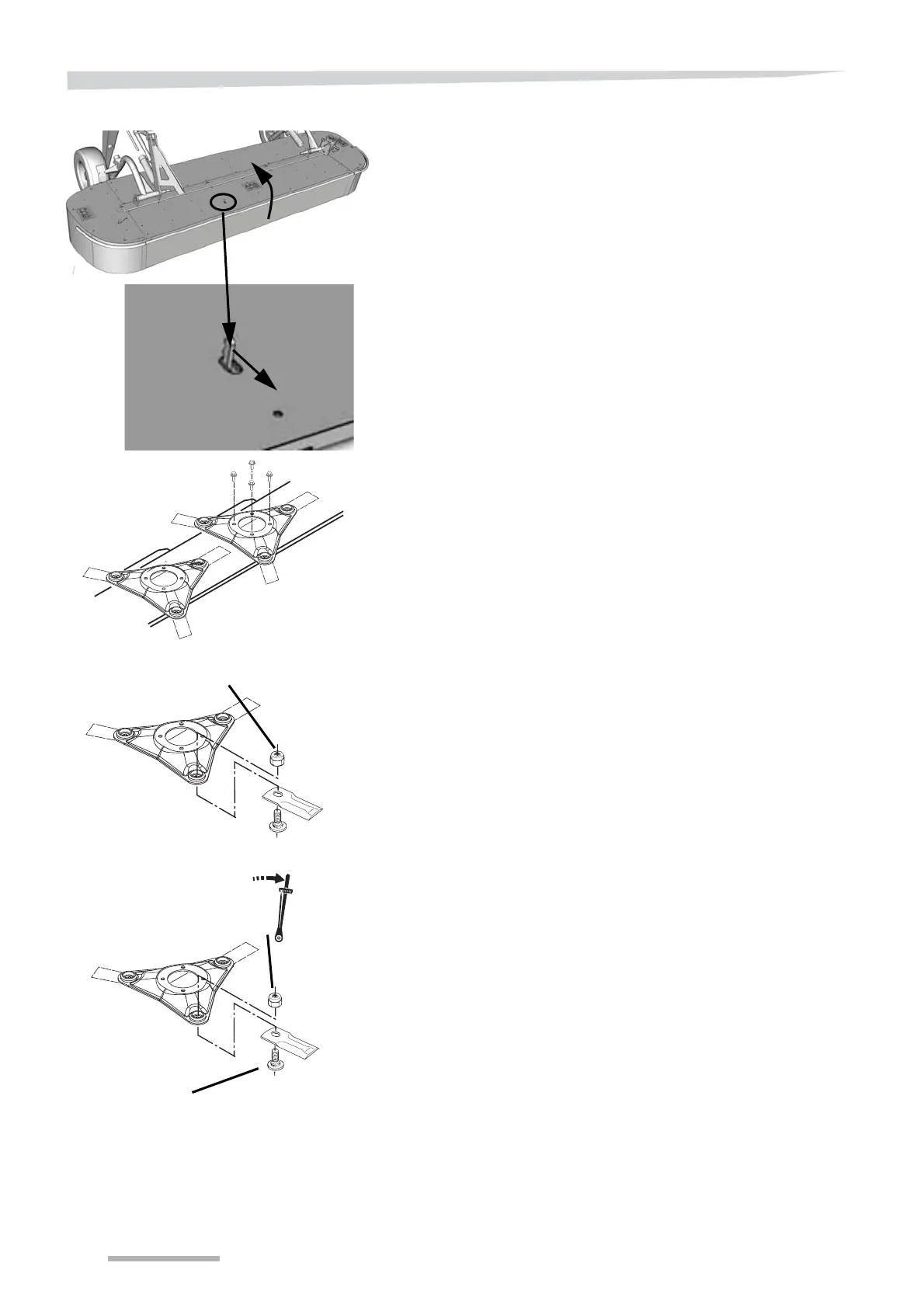
Pull out and release the lock for the guard.
Open the machine's front guard.
Use a suitable tool to remove the cutting disc.
Remove the bolt and knife from the cutting disc.
Fit the knife and bolt on the new cutting disc.
Use a torque wrench to tighten the bolt to the torque shown.
Bolt
95 Nm +/- 5
(70 ft/ lb. +/- 4)



 To Next Page