Maintenance
123
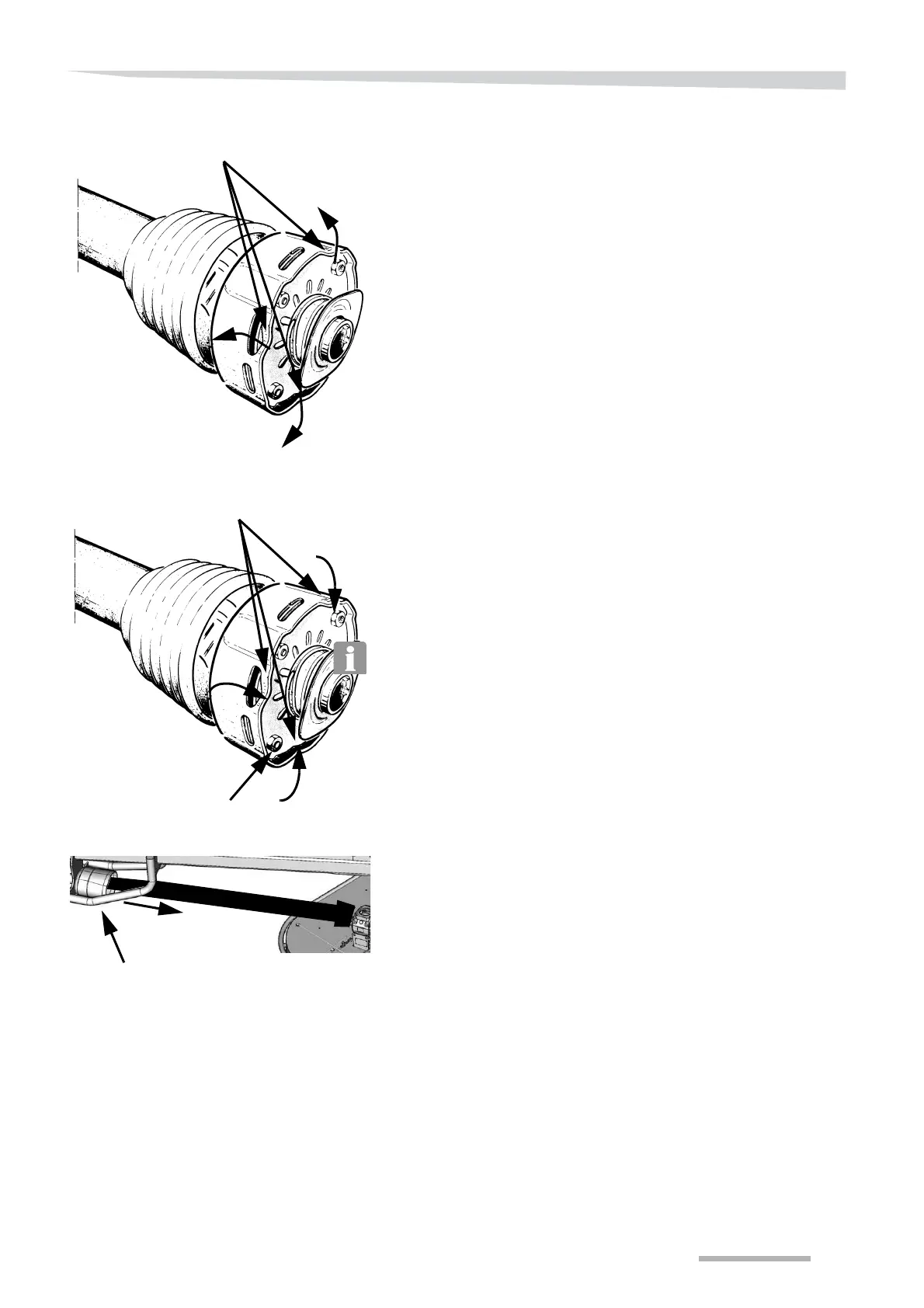
Bend back the edges of the clutch housing shown.
Take the friction clutch apart and replace the friction discs.
Assemble the friction clutch.
Bend the edges of the clutch housing shown back in again.
Fit and assemble the lock.
Fit the circlip.
Loosen all bolts on the friction clutch.
The settings for the coupling's springs cannot be adjusted.
Fit the PTO shaft with the friction clump.
Close the guard.
Edge of the friction housing
Edge of the friction housing
Bolt





 To Next Page