Videojet 6210 Operator Manual
Rev AB Switching the Power On 3-3
The boot-up will take approximately 90 seconds. During which a
"starting CLARiTY …" message appears. Following this, the CLARiTY
home page (Figure 3-3) is displayed.
An initialization process of 15 seconds begins, during which the
printer calibrates the ribbon drive. The status bar flashes the words
STARTING UP and the amber LED flashes on and off. When the
process is complete, the home page changes, as follows:
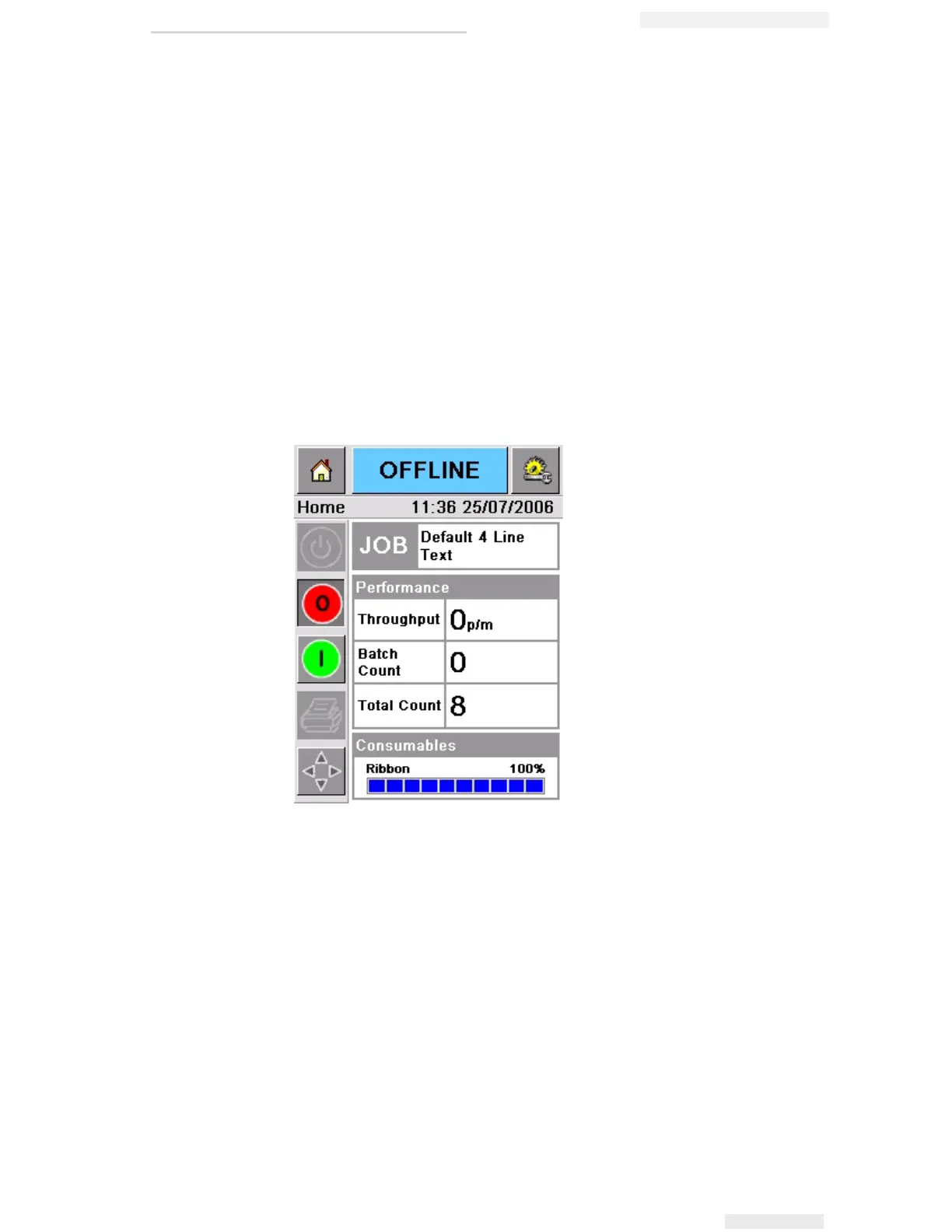
• The CLARiTY status panel changes from STARTING UP to
OFFLINE.
• The Consumables area displays the percentage of ribbon
remaining.
• In the Control Frame, the Start and Stop buttons are enabled.
Figure 3-3 displays the CLARiTY home page in the OFFLINE state.
Figure 3-3: CLARiTY Home Page in the Offline State



 To Next Page