Videojet 6210 Operator Manual
4-4 Selecting a New Job
Rev AB
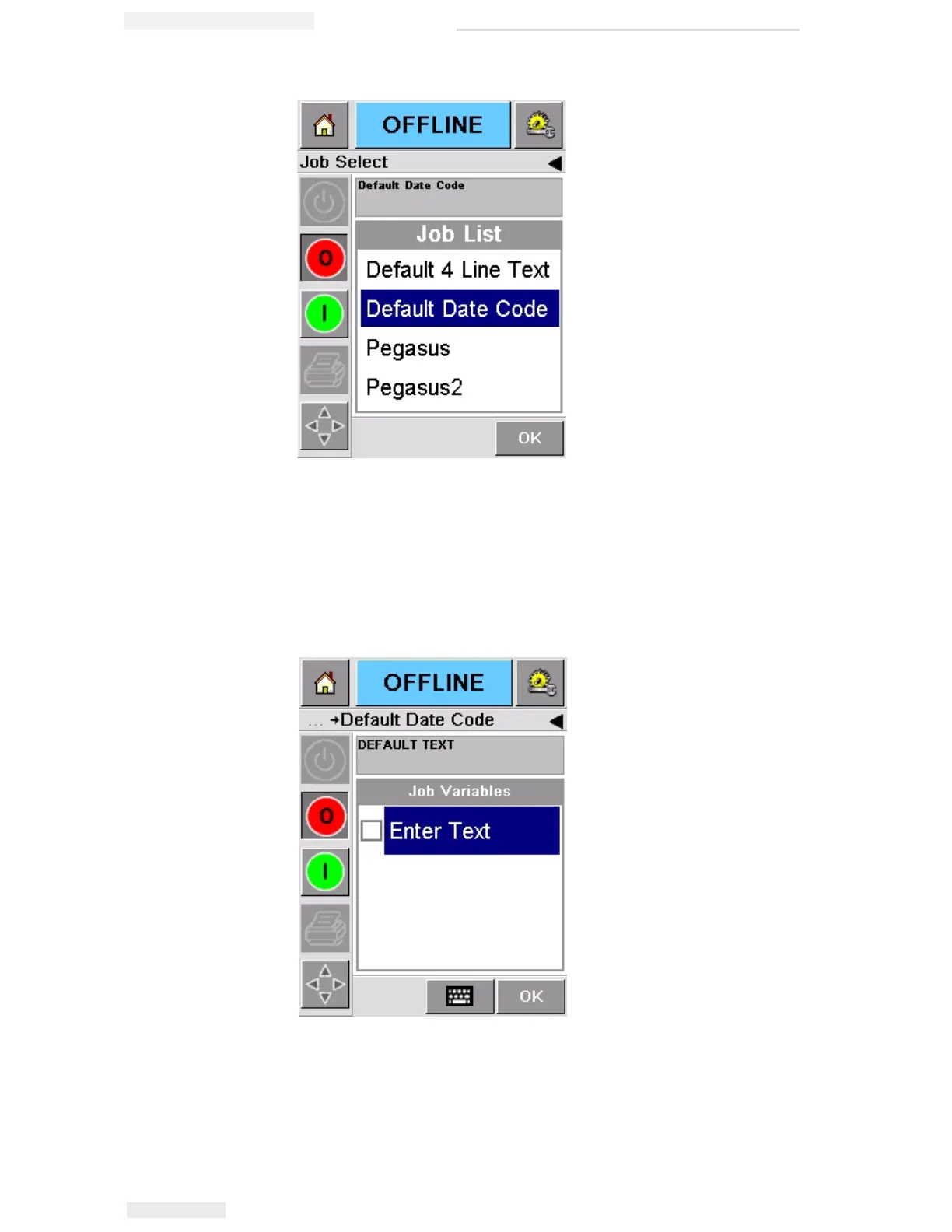
If the job includes information that you can change (i.e, job
variables such as, batch codes or expiration date), CLARiTY
prompts you to choose the information that you want to modify.
In the example in Figure 4-6, there is only one item of variable
information, the Text Field. The current value for this DEFAULT
TEXT, as shown in the data window.
• If the information shown is not correct for this job, refer
“Changing Variable Information” on page 4-5 for information
on how to change it.
Figure 4-5: Job Selection
Figure 4-6: Variable Information in Data Window



 To Next Page