Videojet 6210 Operator Manual
5-8 Checking and Replacing the Ribbon
Rev AB
To replace the ribbon, proceed as follows:
1 Remove the cassette.
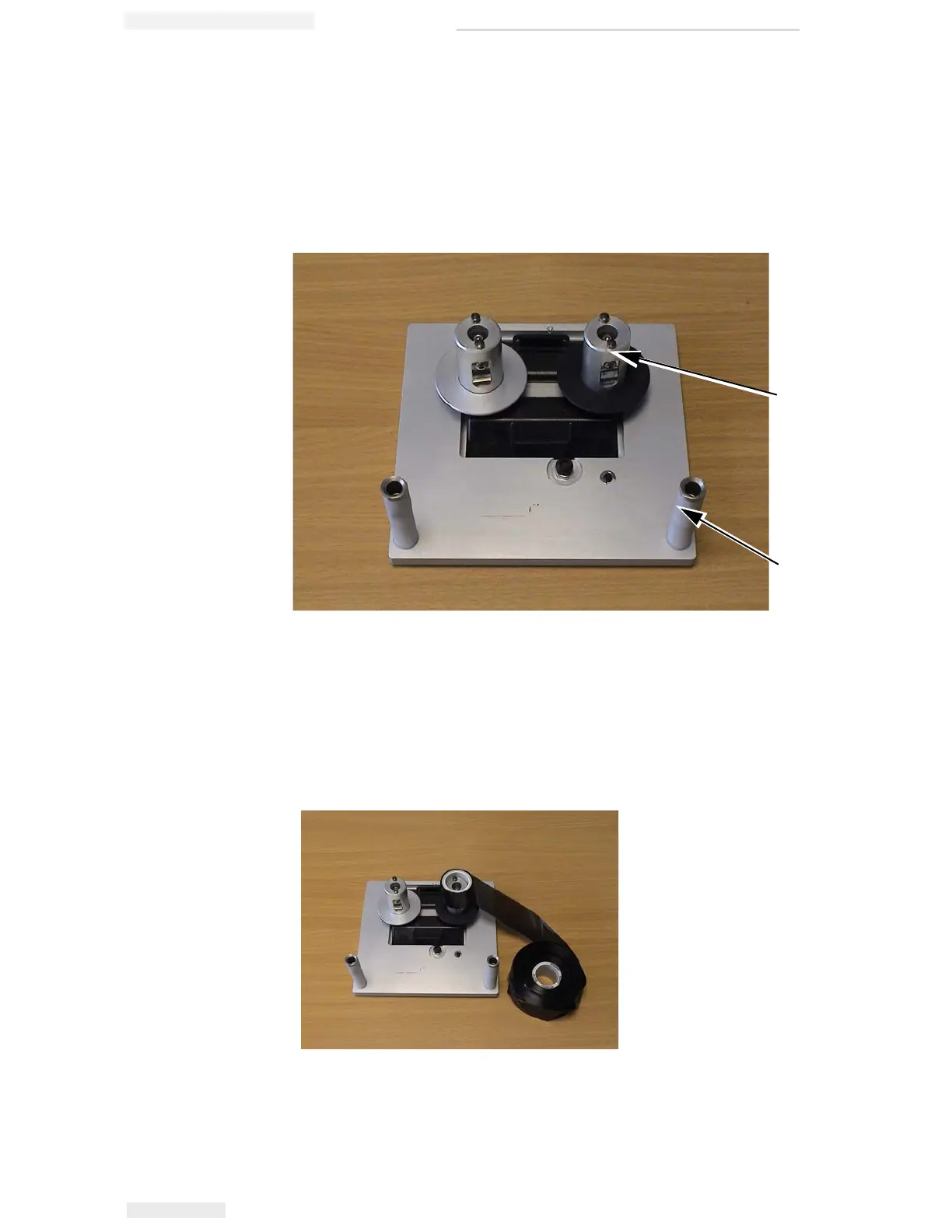
2 Put the cassette down on a flat surface with the ribbon spools
facing upwards and the ribbon rollers towards you, as shown in
Figure 5-10.
3 Pull the two ribbon spools (one full of used ribbon) from the
cassette firmly, as shown in Figure 5-11. The discs that are situated
under each spool can be used to lever the spool off the cassette.
4 Discard the used ribbon and spools.
Figure 5-10: Cassette Removed
1
2
1. Ribbon Spool (x2)
2. Ribbon Roller (x2)
Figure 5-11: Ribbon Spools Removal



 To Next Page