6 Getting set up
Getting set up
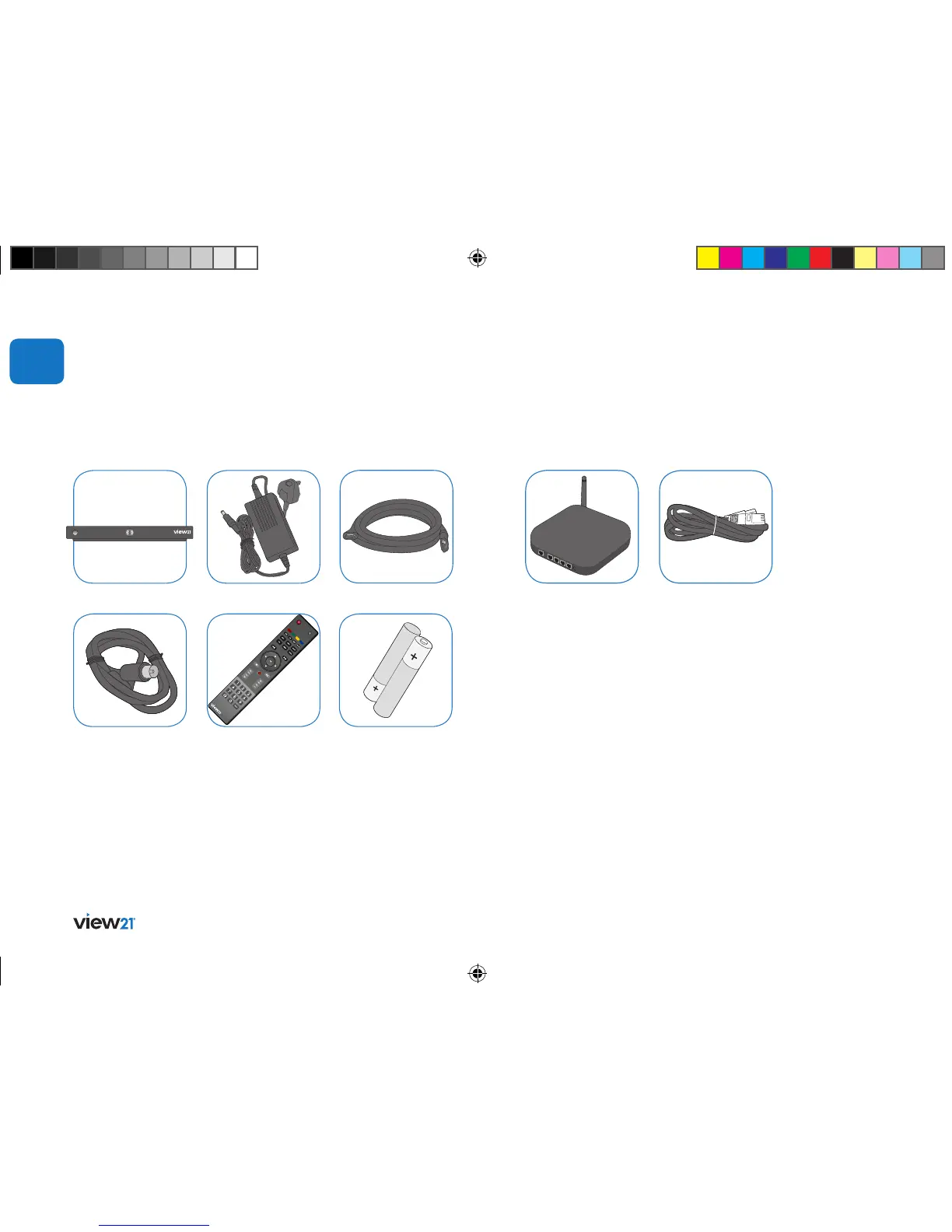
What’s in the box
2 x AAA batteries
HDMI cable
Power supplyView21 box
01
Remote control
RF cable
Ethernet cable
Router
You will also need
• Rooftop aerial: It is recommended that you use a wideband rooftop
aerial for your Veiw21 box to work properly.
• TV: A TV equipped with an HDMI socket (recommended set up).
• Freeview coverage: For more information about Freeview
and to check reception in your area, visit www.freeview.co.uk
• Quick Start Guide • User Guide
To access online smart services
You will also need
Broadband connected router: Connecting to the internet enables you
to use smart services. To use online apps and features like
BBC iPlayer, you will need to connect your View21 box to an internet
connected router, either via WiFi or using an Ethernet cable.
If you want to use View21 companion apps your router must be WiFi
enabled.
Ethernet cable: If you are not using WiFi, you will need an Ethernet
cable to connect your View21 box to a router.
Not included
View21_VV107ZRH_HD Digital TV Recorder_UG_V3.indd 6 11/07/2013 15:39:48



 To Next Page