13
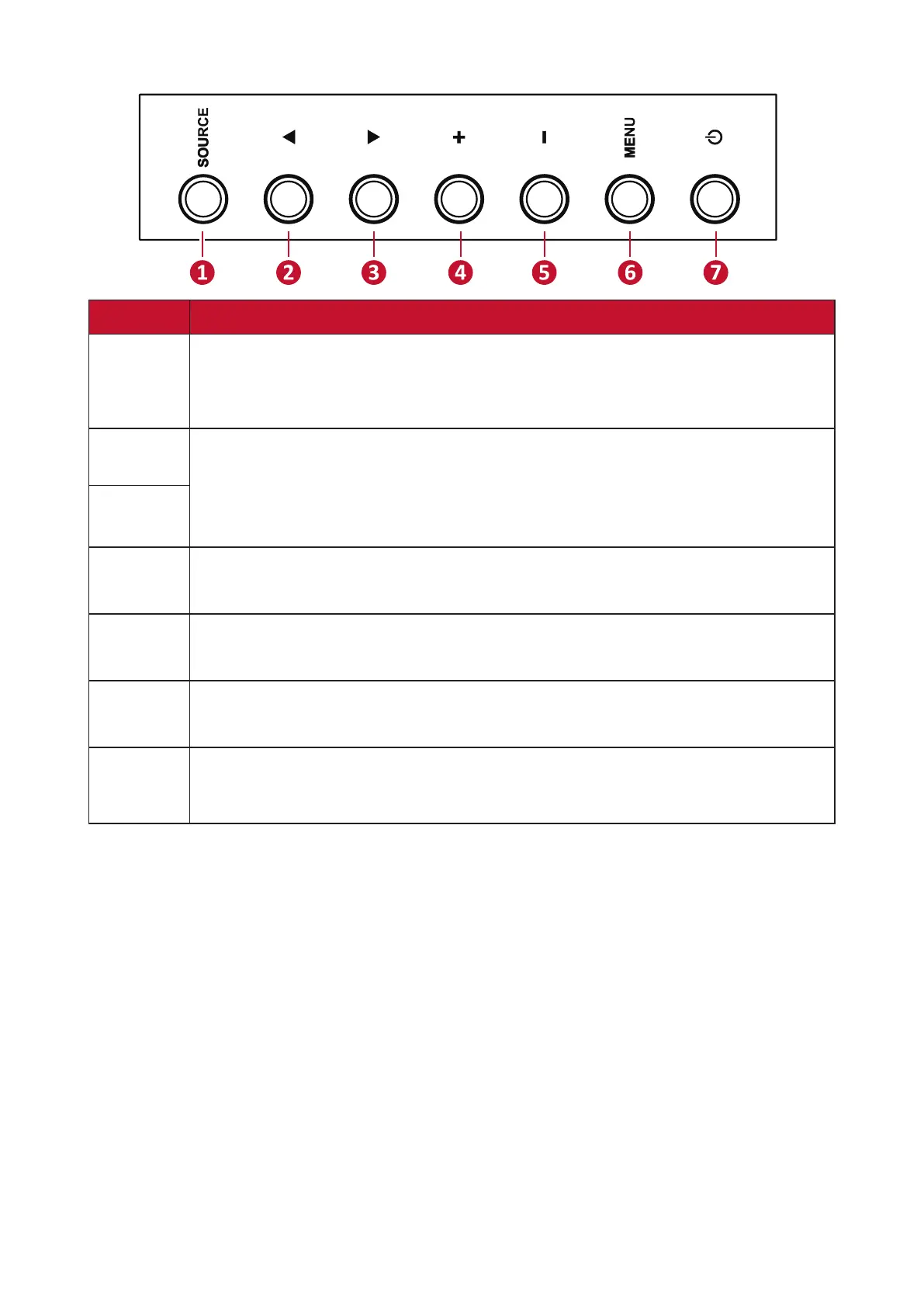
Control Panel
Number Descripon
1
•
• Select the signal source.
•
2
In the OSD Menu, press the keys to select an item.
3
4
• Increase the volume level.
• In the OSD Menu, adjust the value of the selected item.
5
• Decrease the volume level.
• In the OSD Menu, adjust the value of the selected item.
6
• Enter the Main Menu.
•
7
•
•








 To Next Page