9292
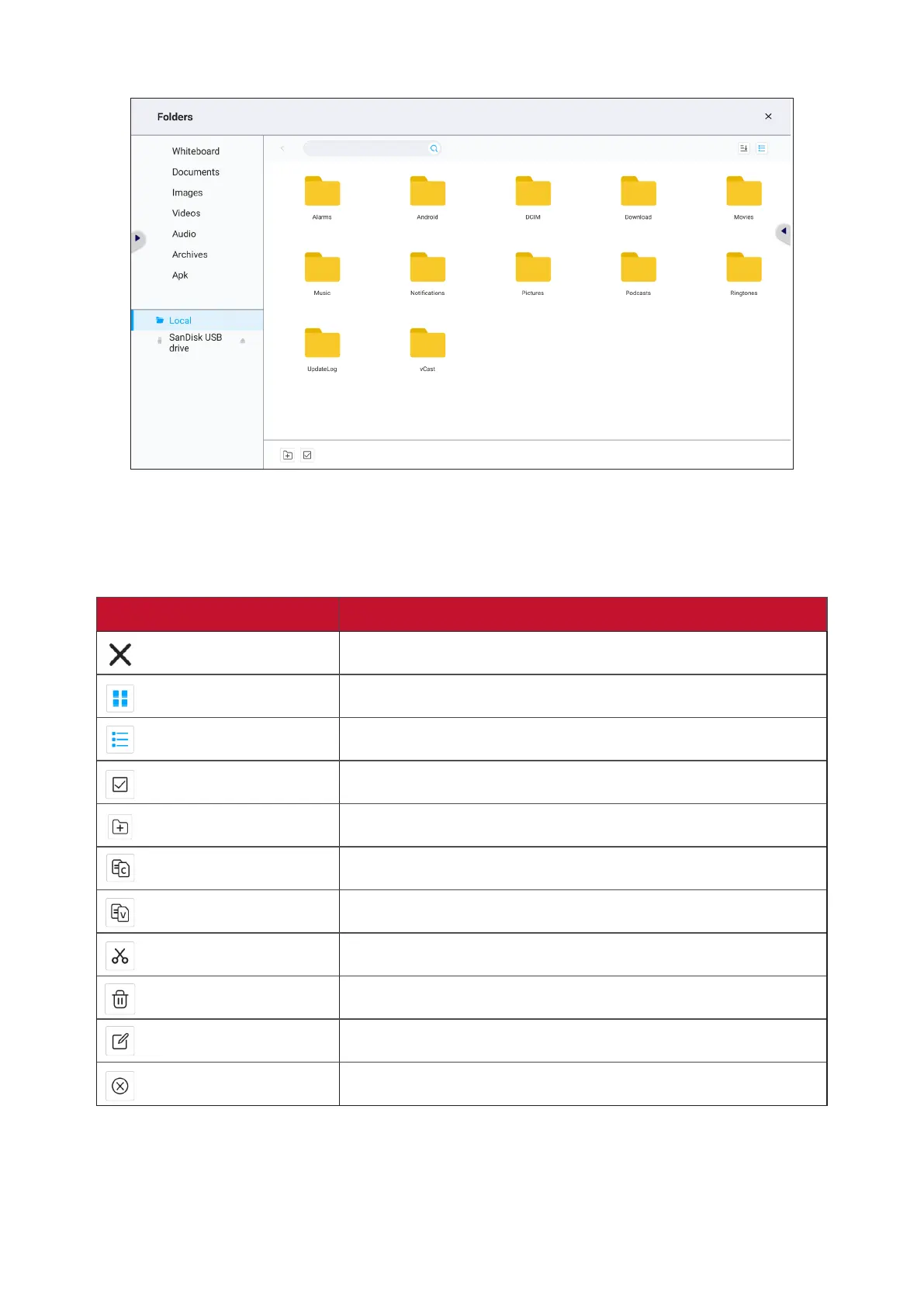
Folders
1. Storage Device Display
Select the appropriate storage device.
2. Icons
Item Descripon
Exit Click to exit.
Thumbnail Click to display file by thumbnail mode.
List Click to display file by list mode.
Select Click to select file.
Add Folder Click to add folder.
Copy Click to copy file.
Paste Click to paste file.
Cut Click to cut file.
Delete Click to delete file.
Rename Click to rename file.
Cancel Click to cancel.






 To Next Page