5050
Sengs - ViewBoard Player
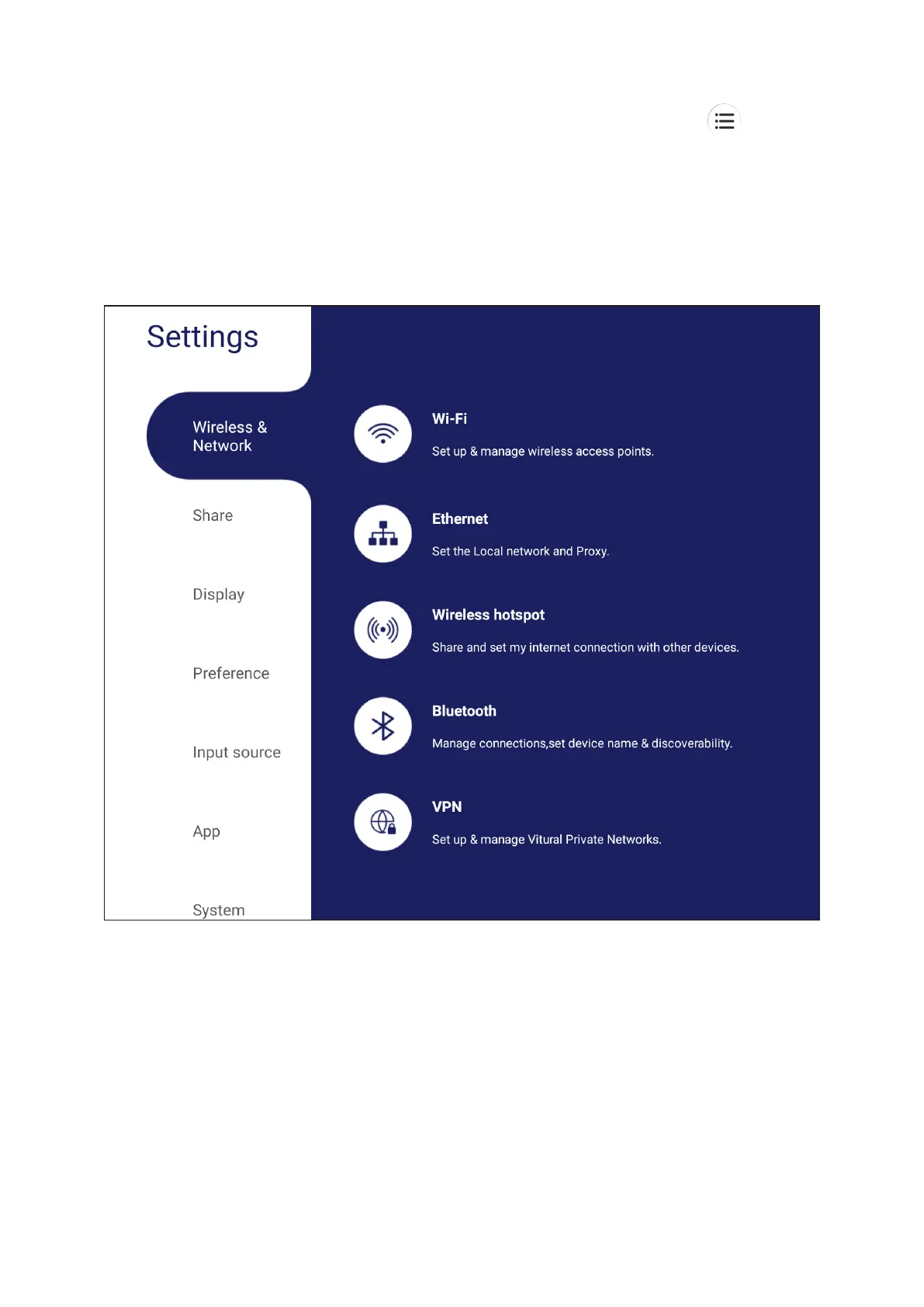
When the ViewBoard is in the ViewBoard Player input source, press on the
Sengs menu.
Wireless & Network
Bluetooth, and VPN, and establish a Wireless hotspot.
NOTE:
• Wi-Fi, Wireless hotspot and Bluetooth settings will appear when
VS050B(optional) has been installed.
• Ethernet will disable automatically when Wi-Fi is enabled. Wi-Fi will disable
automatically when Ethernet is enabled.
• Miracast will disable when Wireless hotspot is enabled. Wireless hotspot
will disable when Miracast hotspot is enabled.







 To Next Page