25
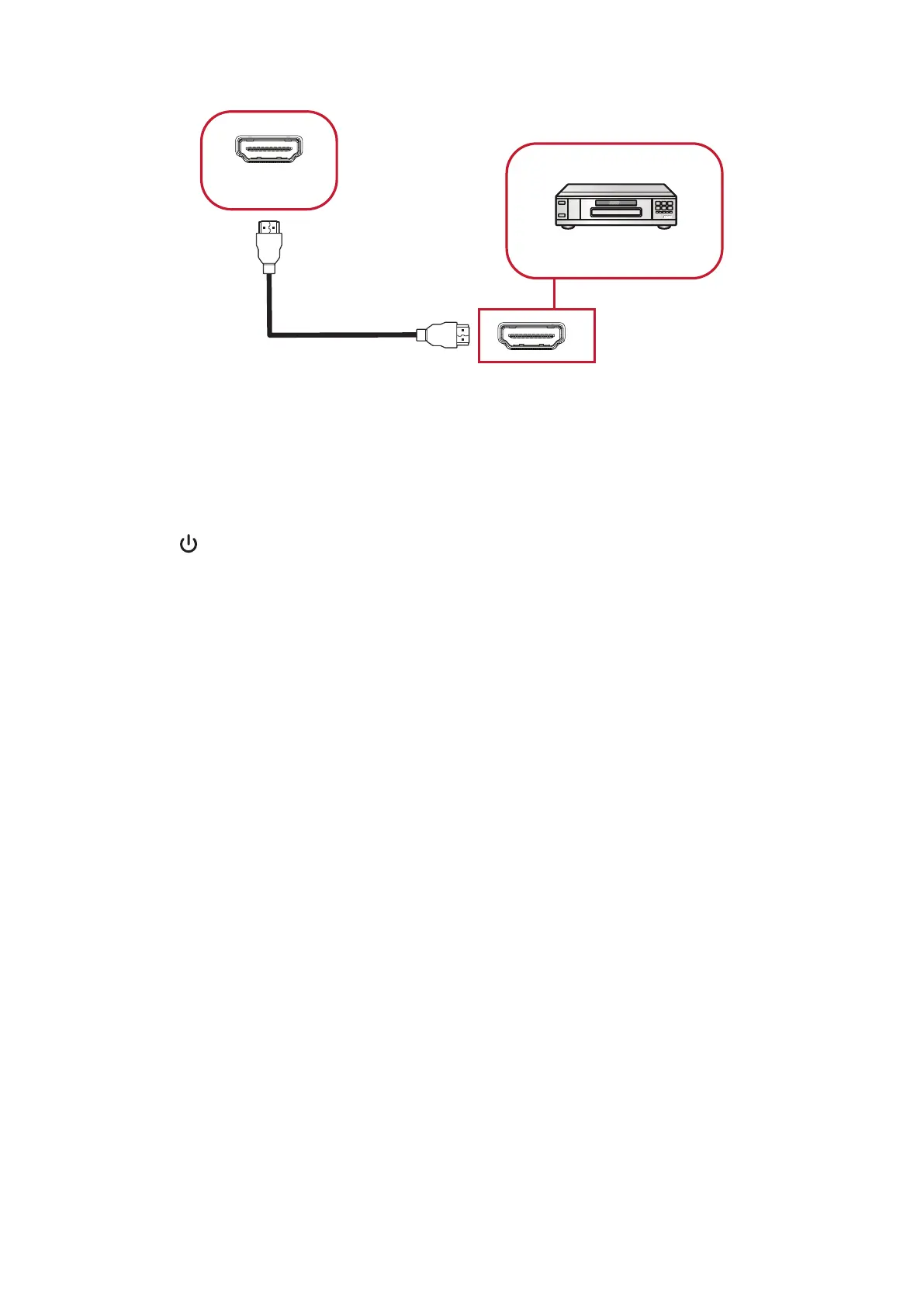
Media Player Connecon
Media Player
HDMI
HDMI
HDMI Cable
To connect to a media player:
1. Connect the HDMI cable to the HDMI ports on your ViewBoard and peripheral
device.
2. Plug in the power cord of your ViewBoard, and turn on the power supply switch.
3. Press the Power button on the right-hand side of the ViewBoard to turn the
screen on.
4. Press the INPUT button on the remote control and switch to the “HDMI” input
source.






 To Next Page