EasyManua.ls Logo

ViewSonic VS18454 - Share; Samba

ViewSonic VS18454
117 pages
Print Icon
To Next Page IconTo Next Page
To Previous Page IconTo Previous Page
Loading...
5656
Share
SAMBA


equipment.
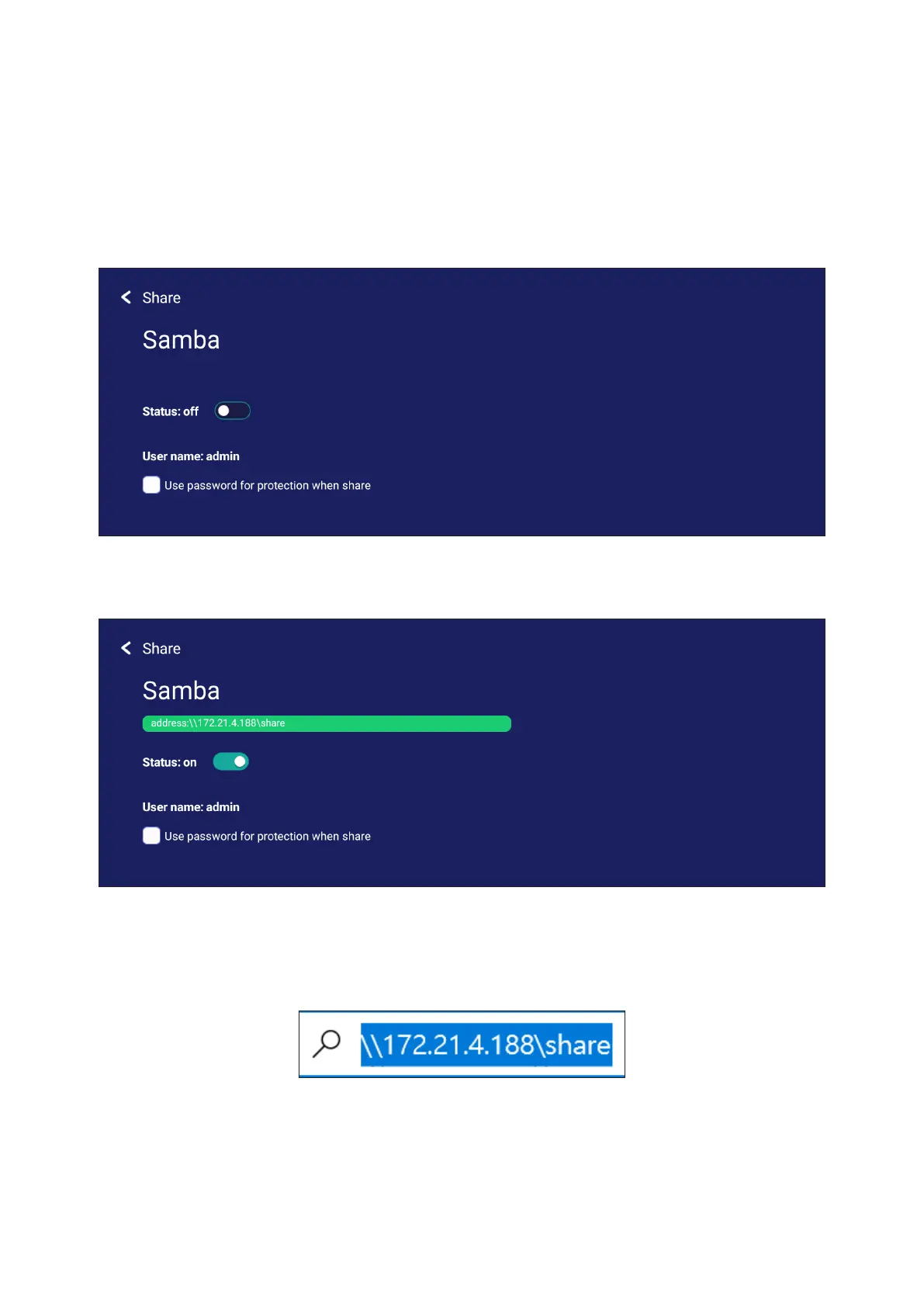
1. To access, go to: Sengs > Share > SAMBA.
2. 
needed.
3. Ensure the ViewBoard and client equipment are connected to the same network.
4. Log in to the ViewBoard with the client equipment. Input the ViewBoard’s IP
address.


Table of Contents

Related product manuals