26
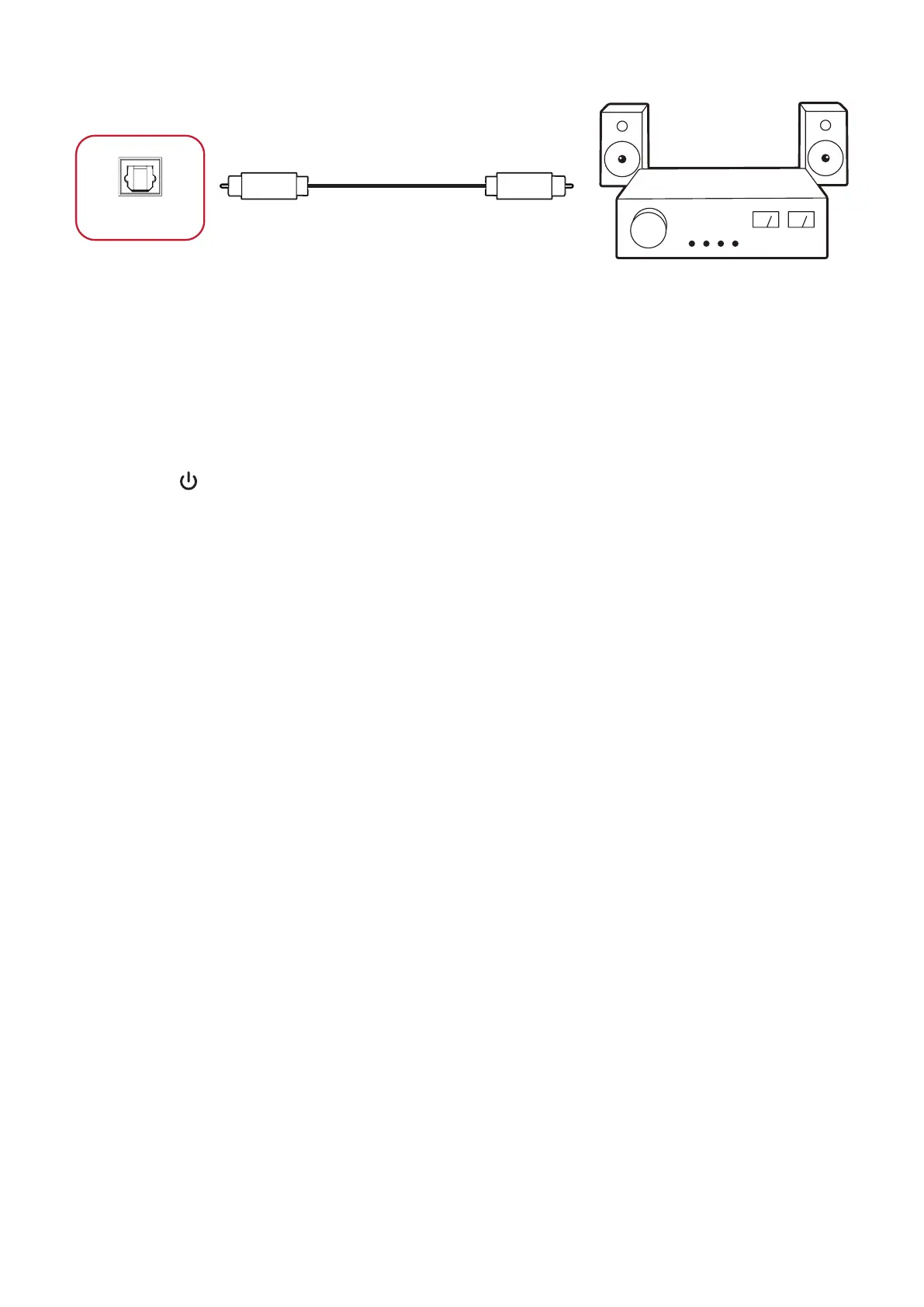
SPDIF Connecon
Power amplifier / Stereo equipment
Optical Cable
SPDIF
To connect to an external sound system:
1. SPDIF
connector.
2. Plug in the power cord of your ViewBoard, and turn on the power supply switch.
3. Press the Power button on the right-hand side of the ViewBoard to turn the
screen on.







 To Next Page