4646
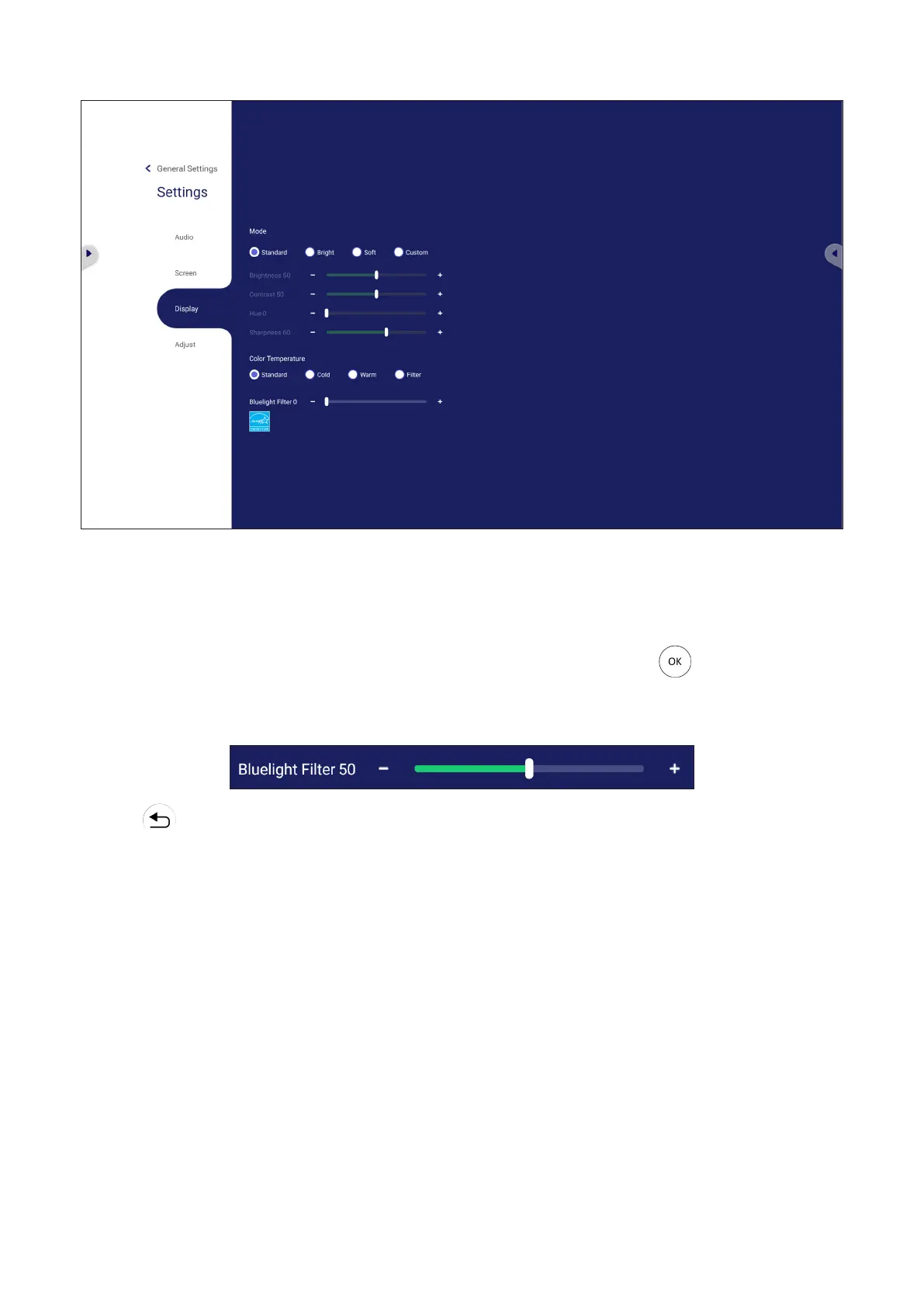
Display Sengs
1. Press q on the remote control and select the Display menu.
2. Press q/p/t/u
3. Adjust the Brightness, Contrast, Hue, and Sharpness directly by touching and
to adjust the
4. Drag the blue light slider directly to adjust the blue light value.
5. Press on the remote control, or touch a blank area outside of the menu to
exit.







 To Next Page