4444
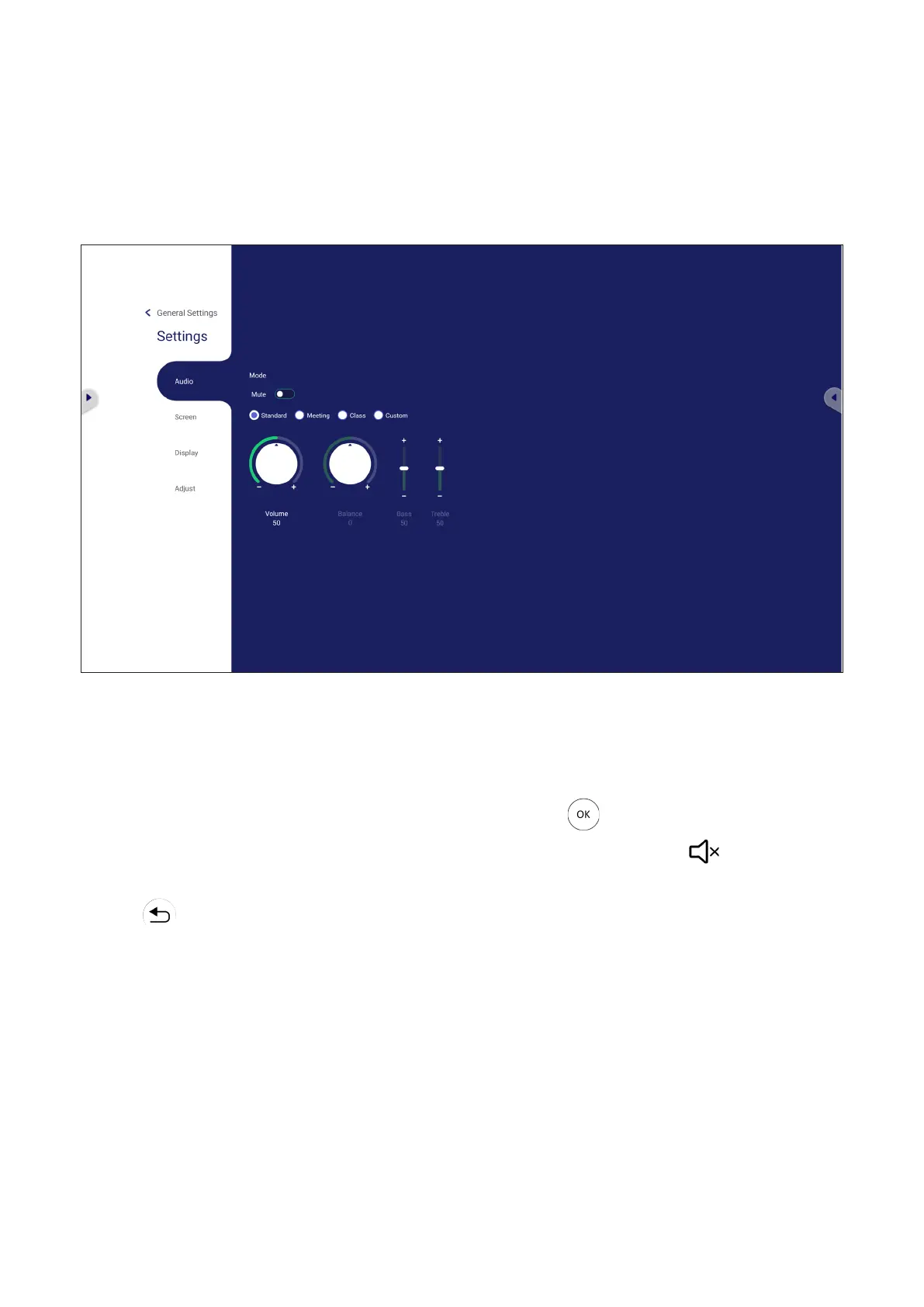
Sengs - HDMI & VGA Input Source
Press MENU
source in Input Sengs to launch the SengsAudio,
Screen, Display, and Adjust.
Audio Sengs
1. Press q on the remote control and select the Audio menu.
2. Press q/p/t/u
3.
each value, or with the remote control by pressing
4. Touch the Mute slider directly to enable/disable mute, or press on the
remote control.
5. Press on the remote control, or touch a blank area outside of the menu to
exit.








 To Next Page