© 2010 Viking Preferred Service
20
Diagnostics
Entering Programming Mode (continued)
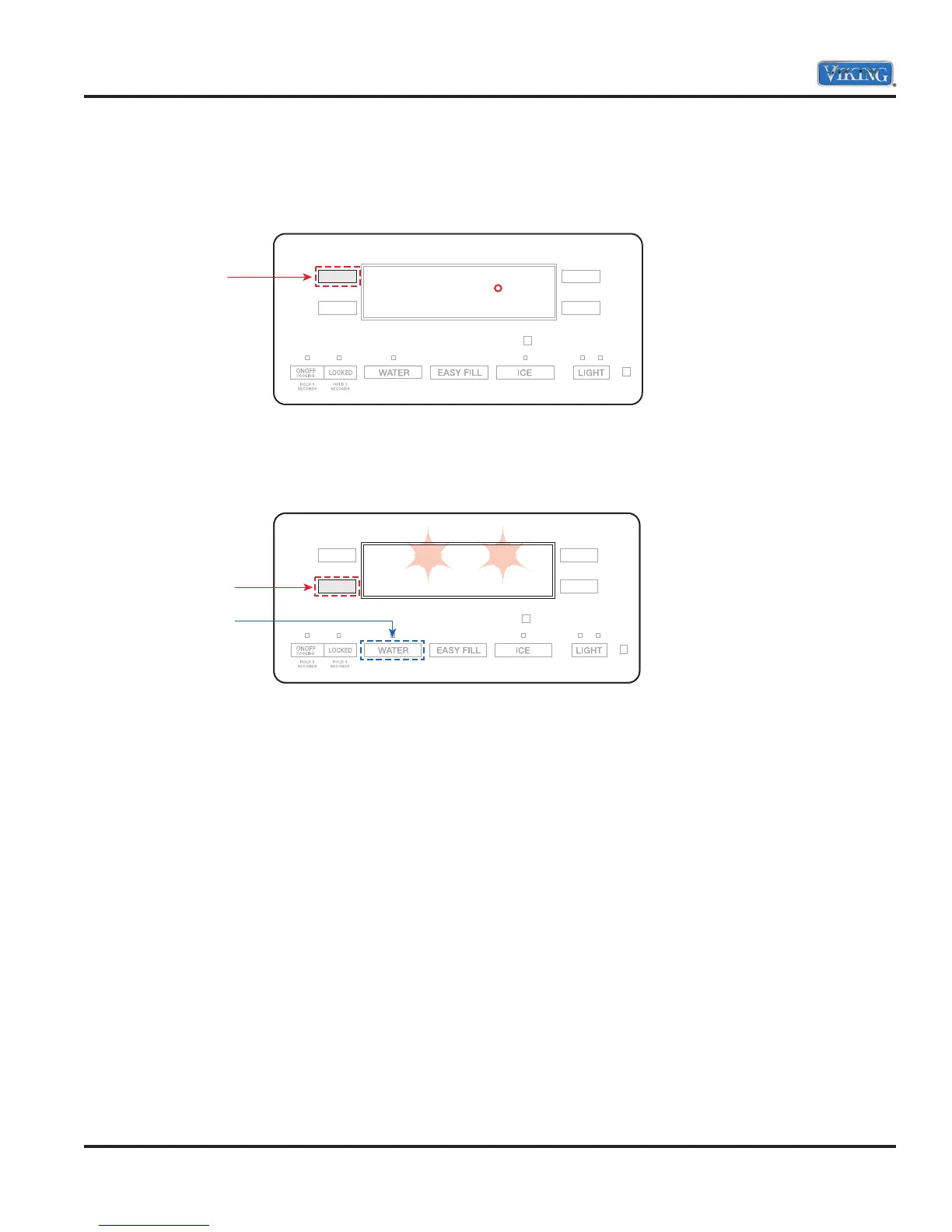
9. Once the proper first digit is in the display, depress the “UL” button to lock in the selection and move to
the next digit. The example below shows the first number has been changed from “3” to number “2” and
with the “UL” button depressed, the dot is now under the second digit “7”.
10. Continue to change the three remaining digits until the code on the display matches the code on the data
plate. When you are finished, press and hold the “LL” button until the program code begins flashing. This
indicates that the changes have been saved.
11. To EXIT the programming mode, press and hold the “WATER” button for three seconds. If not depressed,
it will automatically exit after 4 minutes..
Press UL button
to make selection
and move to
the next
number
PE3 715
.
Hold
Press and Hold
PE2 213



 To Next Page