© 2010 Viking Preferred Service
21
Diagnostics
Defrost Operation
The Control Board adapts the compressor run time between defrosts to achieve optimum defrost intervals
by monitoring the length of time the defrost heater is on. After initial power up, defrost interval is 4 hours
compressor run time. Defrost occurs immediately after the 4 hours.
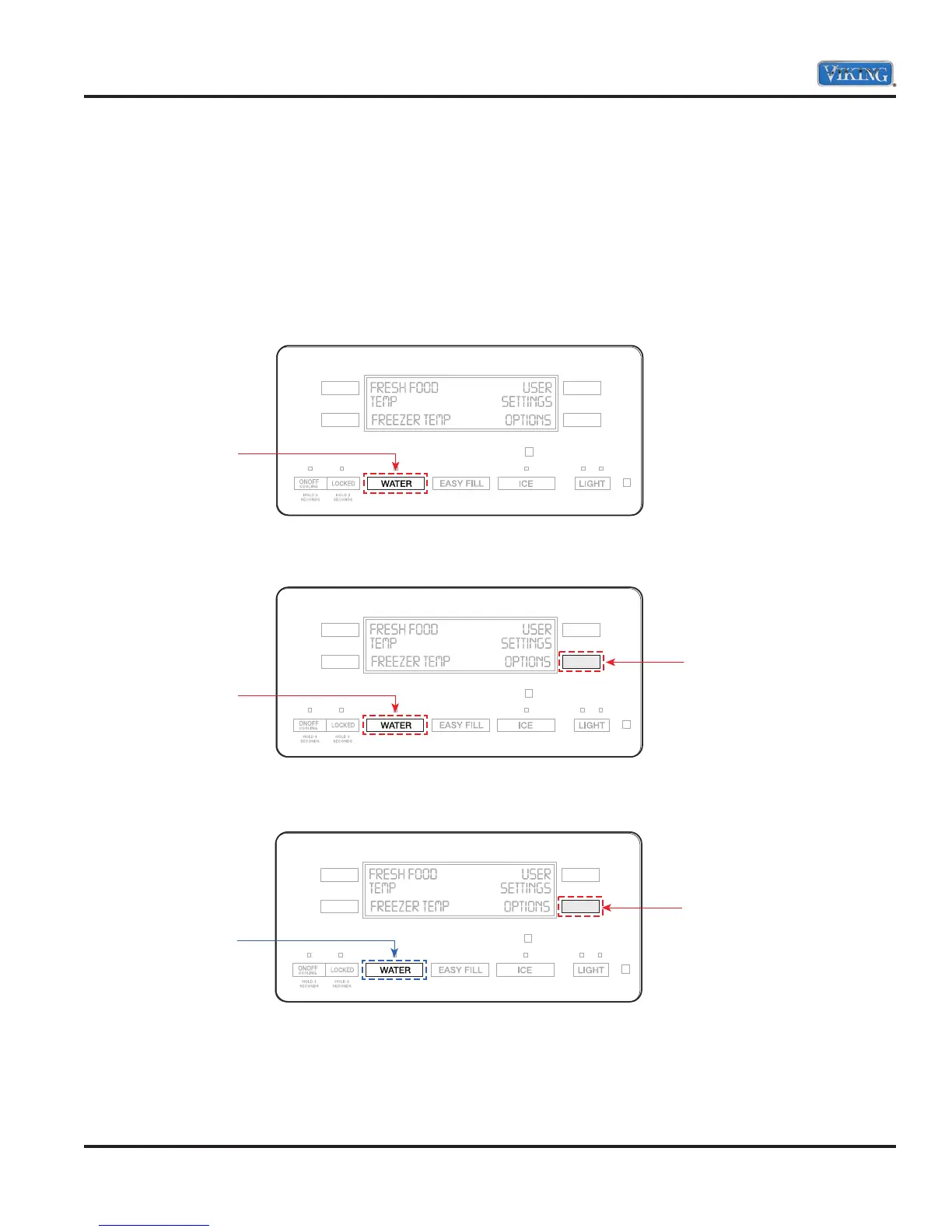
Entering Forced Defrost Mode
1. Press and hold the “WATER” button.
2. Then press and hold the “LR” button. Both buttons are now being held in.
3. While still holding the LR button, release the “WATER” button and wait 3 seconds.
Press and Hold
Hold
Press and Hold
Release
Hold



 To Next Page