© 2010 Viking Preferred Service
22
Diagnostics
Entering Forced Defrost Mode (continued)
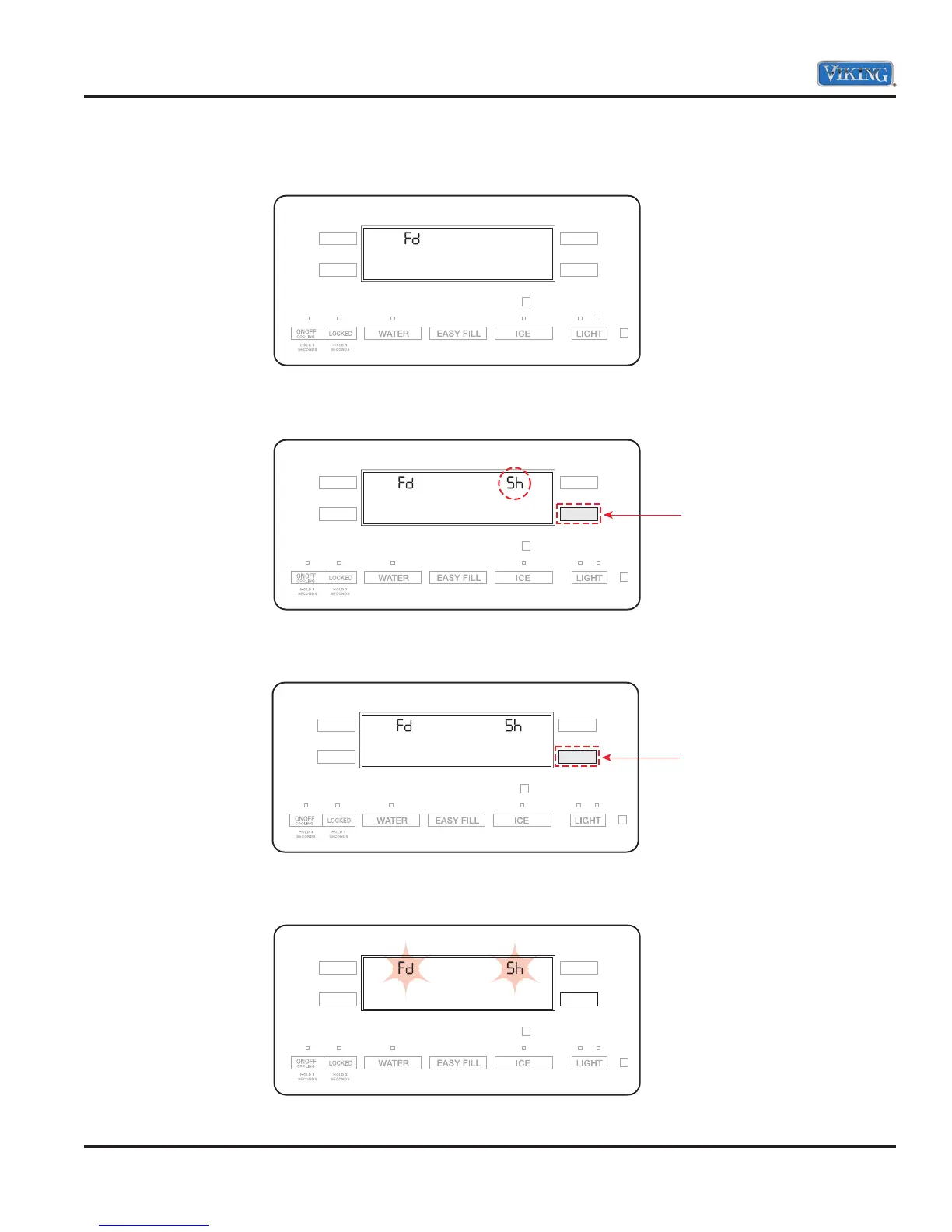
4. When entered successfully, Fd will be displayed on the left side of the screen.
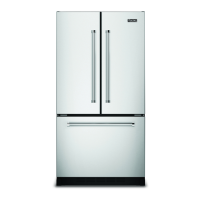
5. Press the “LR” button again. Sh appears in right side of the display.
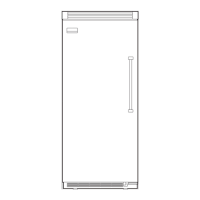
6. Press “LR” again to force defrost.
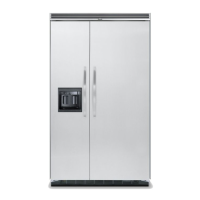
7. Fd and Sh will flash in display indicating unit is in defrost.
Press
Press



 To Next Page