© 2010 Viking Preferred Service
17
Diagnostics
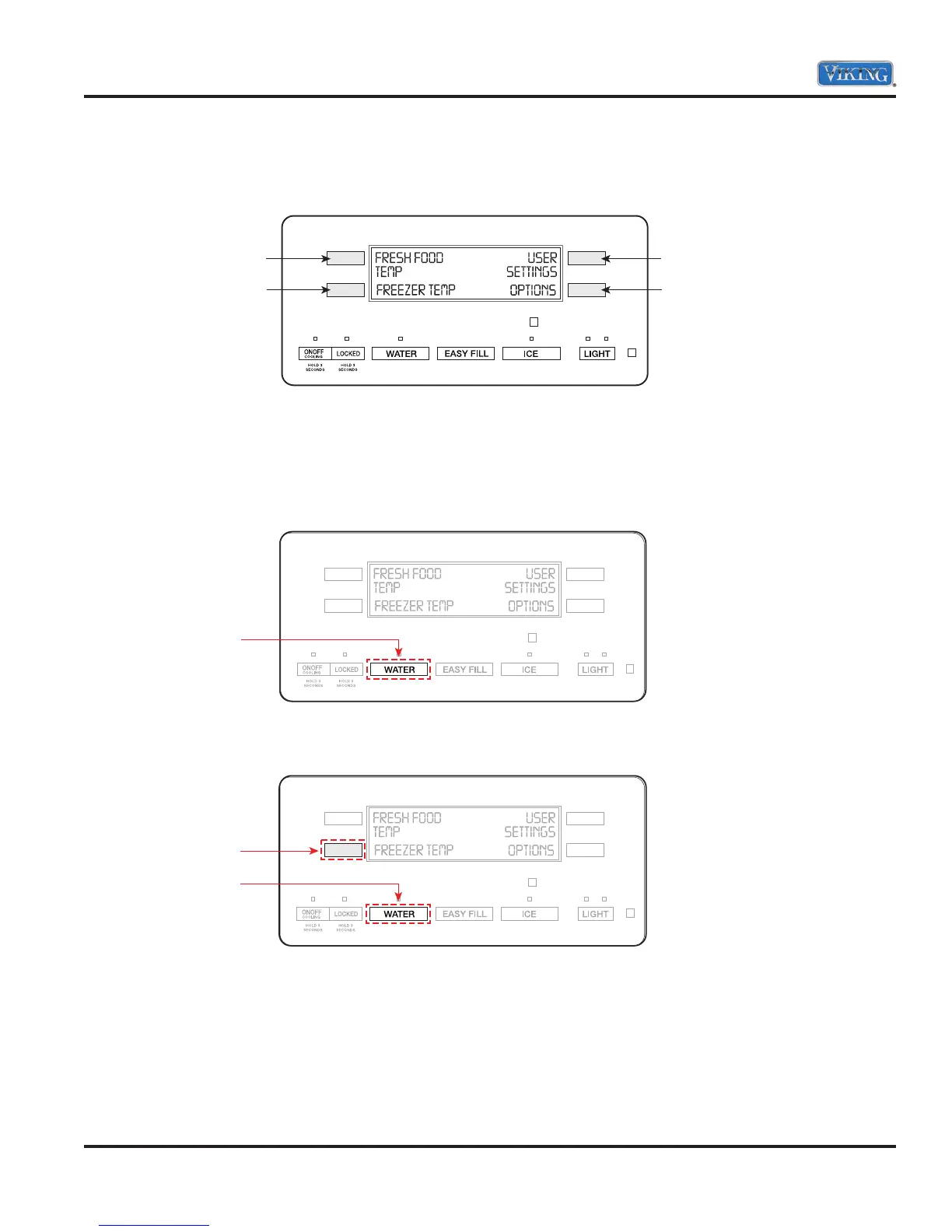
Main Control Menu
To access the main control menu, press any of the four touch pads located on either side of the display.
Then, touch the pad next to the desired option or user setting to access the various features.
Note: Press only the touch pads next to your selection on the display screen, not the screen itself.
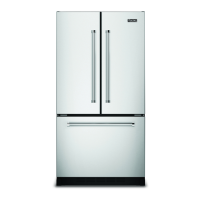
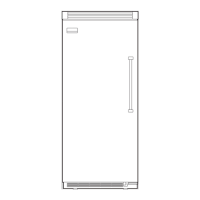
Entering Programming Mode
1. Press and hold the “WATER” button.
2. Then press and hold the “LL” button. Both buttons are now being held in.
UR (Upper Right Keypad
LR (Lower Right Keypad)
UL (Upper Left Key)
LL (Lower Left Key)
Press and Hold
Hold
Press and Hold



 To Next Page