VIMTAG IP VT 361 SECURITY CAMERA
Page
9
3. Installing and Configuring the Camera
The installation and configuration of your camera has been simplified using
details and procedures explained in this chapter.
To use the camera, you will need to have a few basics, such as a computer
and/or a smartphone running iOS or Android.
Technical Requirements
Use the following requirements to verify the suitability of your devices for
use with the VT-361:
Computer Requirements
To effectively use the Vimtag solution, you should ensure that your
computer meets the following requirements:
• Computer equipped with Microsoft Windows® 7, Vista®, XP®, Mac OS,
or Linux
• CPU clocked at 1.3G or higher, with at least 128MB of RAM
• Firefox 3.5 or later, Internet Explorer 7 or later, Safari 4 or Chrome 8.0
or later
• 10/100 Ethernet or Wi-Fi network
Phone Requirements
• iOS System Requirements - iOS 5.0 or above
• Android System Requirements - Android 2.1 or above
VT-361 Camera Kit Contents
The VT-361 ships with the following contents:
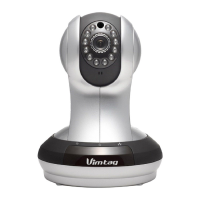
• One Vimtag IP VT-361Camera
• Ethernet cable
• 5V power adapter
• User Manual


 To Next Page