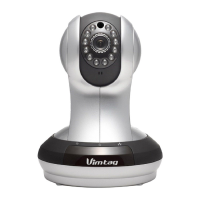
VIMTAG IP VT 361 SECURITY CAMERA
Page
3
• Built-in flexible Wi-Fi module, forms a wireless monitoring
environment
• Supports maximum 32GB SD card storage, and can store photos and
videos
• Supports Power over Ethernet (POE) power supply and meets the IEEE
802.3 standard (optional)
Getting Started Workflow
The main steps in getting started are:
• Download the Vimtag app to either your mobile device or computer.
• Open the application and sign up to create a user account.
• Set up the VT-361 camera and attach it to your Ethernet or Wi-Fi
network.
• Using a mobile device with a camera, add a device to your account.
• Manually adjust the camera to optimize the area under surveillance;
verify that you have optimized the location and placement by viewing
the real-time feed on your computer or mobile device.
• Begin monitoring or recording with your camera.


 To Next Page