VIMTAG IP VT 361 SECURITY CAMERA
Page
30
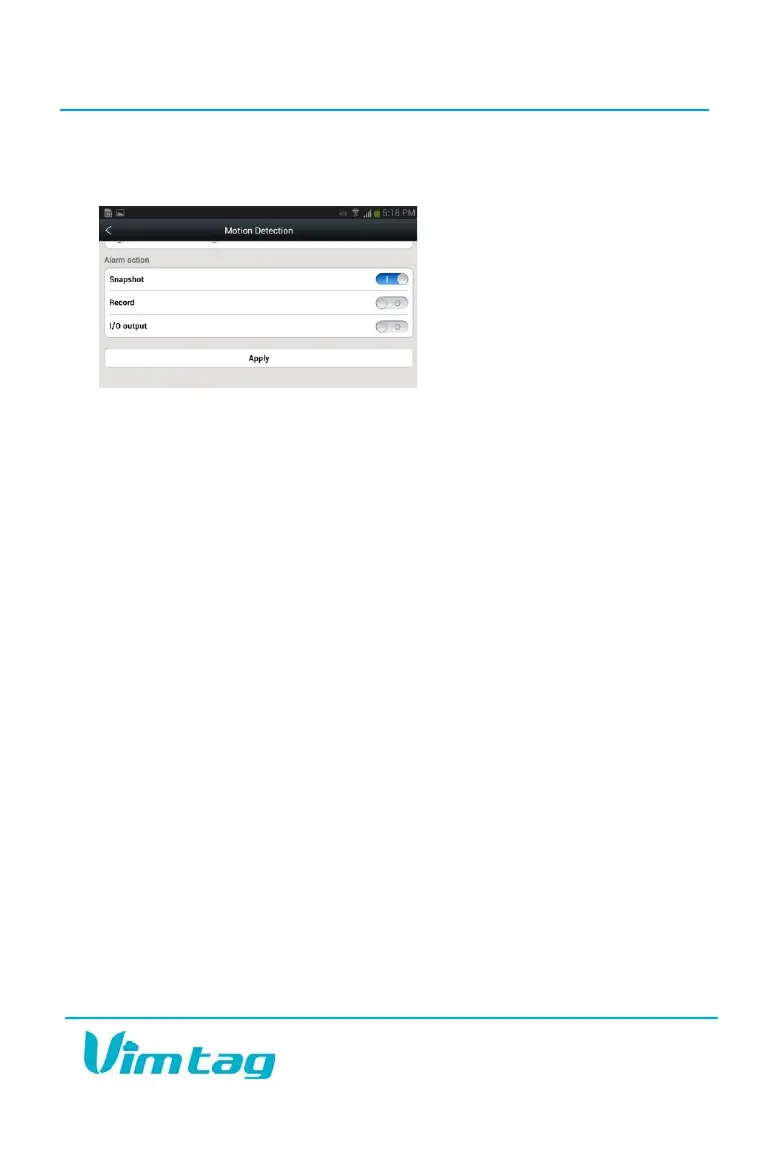
Select the Motion Detection tab to determine how sensitive the camera is
when it comes to sensing motion. You can change the sensitivity settings
for day and night operation
separately to improve motion
detection.
You can also select what you
want the VT-361 to do if motion
is detected. For example, you can
configure the camera to take a
snapshot, or to start recording a
video automatically.
Note: It is recommended that you start with the default settings and then
alter them as needed to adjust to the conditions in the viewing area.
If you place the settings too high, you could get a number of false alarms.
If you lower the settings too much, it might not provide you with accurate
results. Therefore, it is recommended that you first start with the default
settings, which should provide optimal coverage.
On Android devices, the Motion and Notification option also includes a
Mask Settings feature which enables you to select squares on a grid that
appears over the image of the area the camera covers. Each square you
select represents an area of the camera view. Movement in selected
grids does not trigger an alert. This feature is especially useful when the
camera is placed in such a way that part of it covers a high-traffic area.
For example, if you wish to ensure that no one goes through a specific
door, but that door is located very close to another high-traffic door, you
can “mask” the high traffic door and the path people use to get to it,
while still leaving the doorway you wish to secure covered by the camera.
The I/O Alarm is for external devices connected to the camera. The
settings are not changeable with external devices, and most people will
never have to worry about this setting.
When finished, click Apply to save your changes, and then Click Turn alert
on.


 To Next Page