Off CEC Command: CMD=START&UNIT.ID=ALL&VIDEO.SEND_CEC_GENERIC=1F:36&CMD=END
• Reference Command: 1F:36
HDMI 1 Command: CMD=START&UNIT.ID=ALL&VIDEO.SEND_CEC_GENERIC=1F:82:10:00&CMD=END
• Reference Command: 1F:82:10:00
HDMI 2 Command: CMD=START&UNIT.ID=ALL&VIDEO.SEND_CEC_GENERIC=1F:82:20:00&CMD=END
• Reference Command: 1F:82:20:00
HDMI 3 Command: CMD=START&UNIT.ID=ALL&VIDEO.SEND_CEC_GENERIC=1F:82:30:00&CMD=END
• Reference Command: 1F:82:30:00
VIDEO FORMAT SETTINGS (DECODER ONLY)
By default, the VIDEO.FORMAT field on the D4100 decoder is set to Source. This means that the same source resolution being
encoded by the currently “tuned” E4100 is passed through to the output. This is for cases where you are certain that the display
connected to the D4100 can handle any of the source resolutions that it may be tuned to. If the connected display cannot show an
encoded resolution, set this field to a value that the display can decode. For example, if you are tuning a 4K encoded stream and are
using an HD display,
set th
is value to 1080P60. The decoder will scale the tuned stream to 1080P60 and allow the display to show the
stream.
AUDIO SETTINGS
AUDIO SOURCE
The E/D4100 series is capable of using HDMI or Analog audio sources.
• The E4100 encoder uses the STREAM.AUDIO to select the source of audio sent over the AV over IP stream.
• The D4100 decoder uses the STREAM.AUDIO to select what audio is sent out the HDMI output.
STREAM.AUDIO=HDMI
E4100 – STREAM.AUDIO = HDMI
Encoder receives HDMI input with embedded audio and encodes it into the AV over IP stream that includes video.
D4100 – STREAM.AUDIO = HDMI
1. Decoder receives AV over IP stream with both audio and video and decodes it to the HDMI output.
2. Sends the first two LPCM channels out the Analog audio (unbalanced consumer line level via Euroblock connector).
STREAM.AUDIO=Analog
(Encoders only)
E4100 – STREAM.AUDIO=Analog
Uses the Analog audio (unbalanced consumer line level via Euroblock connector) and sends it out the AV stream.
***D4100 is always passing analog audio via the Euroblock connector. D4100 allows volume level setting of analog audio output.
This output is always the first two channels of audio in the AV over IP stream (encoded source audio must be LPCM).
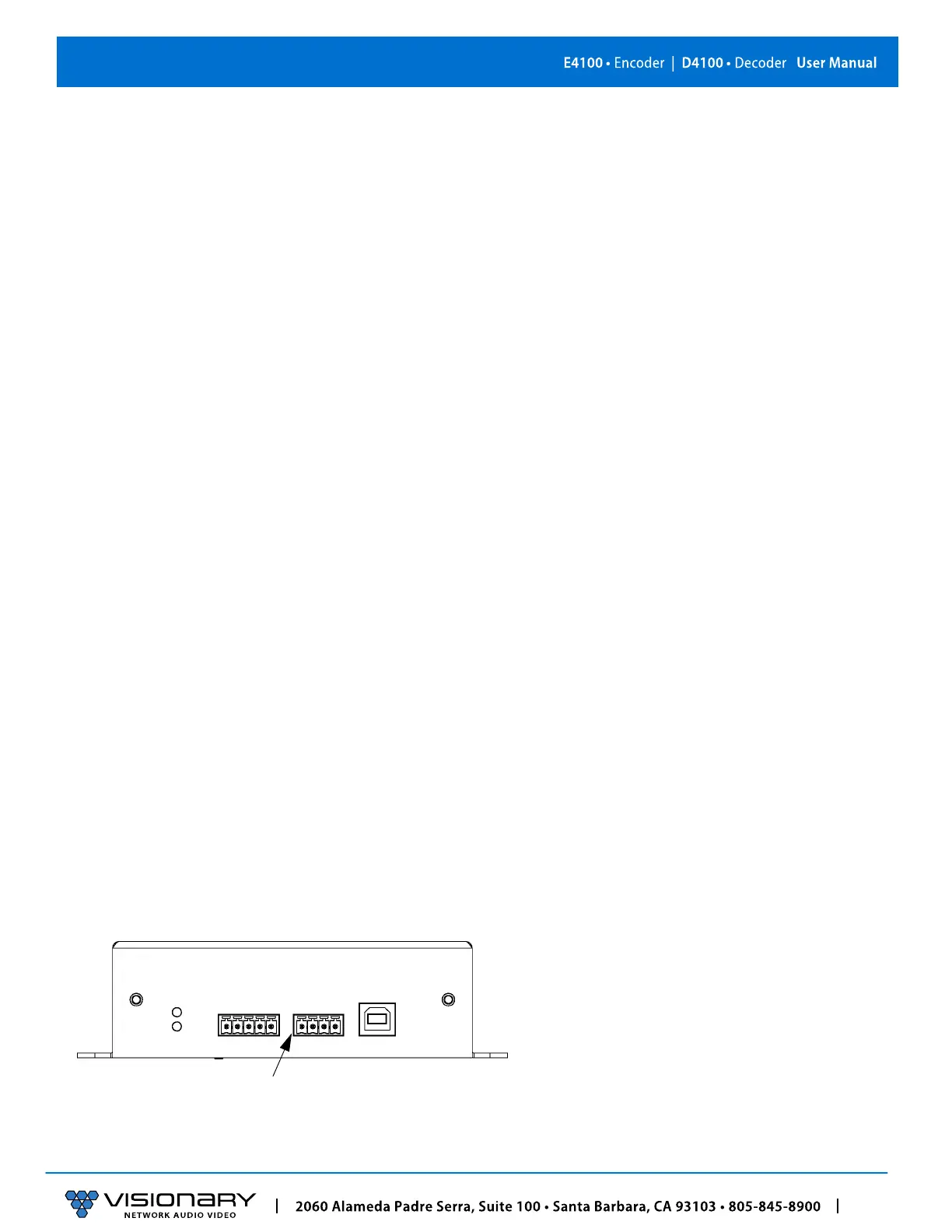
AUDIO CONNECTIONS
Pin 1: Left
Pin 2: GND
Pin 3: Right
Pin 4: GND
Figure 9. Audio Connector Pinout Diagram



 To Next Page